

Overview
If you want to get your brand in front of as many people as possible, a Facebook Reach Campaign is your best tool. Designed for brand awareness and visibility, Reach campaigns help Shopify and DTC brands expand their audience, maintain top-of-mind recall, and introduce products to potential customers efficiently.
Unlike conversion or retargeting campaigns, a Reach campaign isn’t focused on sales – it’s about maximizing impressions among the right audience segments. Whether you’re launching a new product, promoting a sale, or simply aiming to strengthen your online presence, this setup ensures you reach your audience effectively.
In this guide, we’ll walk through each step of creating, structuring, and optimizing a Facebook Reach Campaign inside Meta Ads Manager — from audience setup and budget allocation to tracking and performance insights.
Prefer a quick checklist version? Download the Facebook Reach Campaign SOP PDF here
Shortcuts
- Setting Up the Reach Campaign
- Audience Targeting and Location Setup
- Placements and Optimization
- Budget and Scheduling
- Ad Creation and Copy
- Tracking and Performance Review
- FAQ
STEP: 1 Create a New Reach Campaign
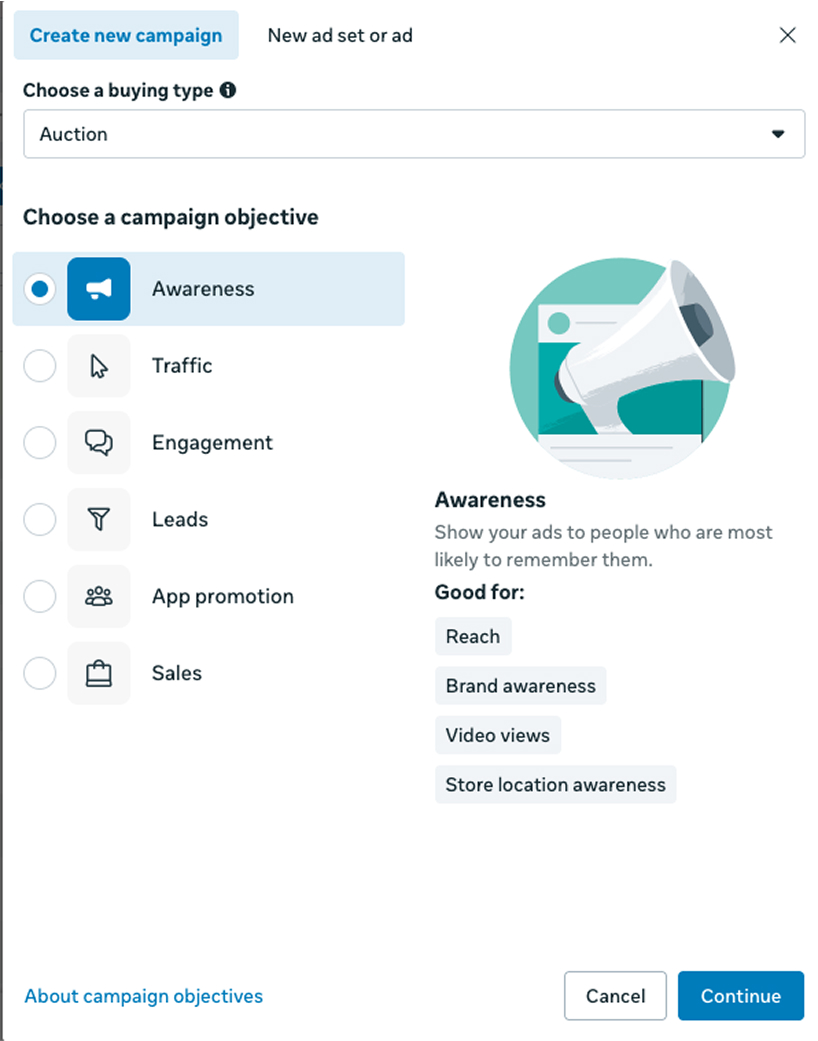
Go to Meta Ads Manager and click Create New Campaign. Choose “Awareness” as your campaign objective. Give your campaign a clear name — for example, “Reach – Brand Awareness – Q1.”
STEP: 2 Set Campaign Budget Optimization (CBO)
Turn on Advantage Campaign Budget if you want Meta to automatically distribute your budget across ad sets. This helps optimize delivery for the best possible reach within your target audience.
STEP: 3 Define Audience Targeting
Within the Performance Goal section, specify:
- Location targeting (e.g., United States or specific regions)
- Minimum age and other demographics
- Any exclusions for audiences you don’t want to target.
These settings help Facebook deliver your ads to the right people.
Detailed Targeting
Facebook offers granular options to refine your audience. You can add demographics, interests or behaviors to further define who should see your ads. For example, target people interested in home décor or fashion, or those who recently engaged with relevant content.
Audience Targeting Options
There are several targeting strategies:
- Interest targeting: Group users by interests such as home décor, DIY, luxury lifestyle, fashion or travel.
- Behavior targeting: Reach people based on actions like videos watched or categories engaged with in the past 7–15 days.
- Custom audiences: Upload lists of website visitors (via the Facebook/TikTok pixel), customer emails or phone numbers, or app activity.
- Broad or smart targeting: Allow Facebook’s algorithm to optimize delivery for reach and performance.
- Lookalike audiences: Create lookalikes (1 %, 3 %, 5 %, up to 10 %) based on your best customers, site visitors or video viewers.
Combine these options to build a broad yet relevant audience. For example, start with a lookalike of recent purchasers and layer on an interest in fashion to maintain relevance.
STEP: 4 Set Up Location and Demographics
Add your desired location — whether it’s national, regional, or city-level. Under demographics, adjust age and gender targeting as needed. Avoid overly narrow filters to maintain broader visibility.
STEP: 5 Choose Ad Placements
Under “Placements,” select Automatic Placements to let Meta show your ads across Facebook, Instagram, Messenger, and Audience Network. This ensures your ads are displayed where your audience spends the most time.
STEP: 6 Launch Dynamic Product Ads (DPAs)
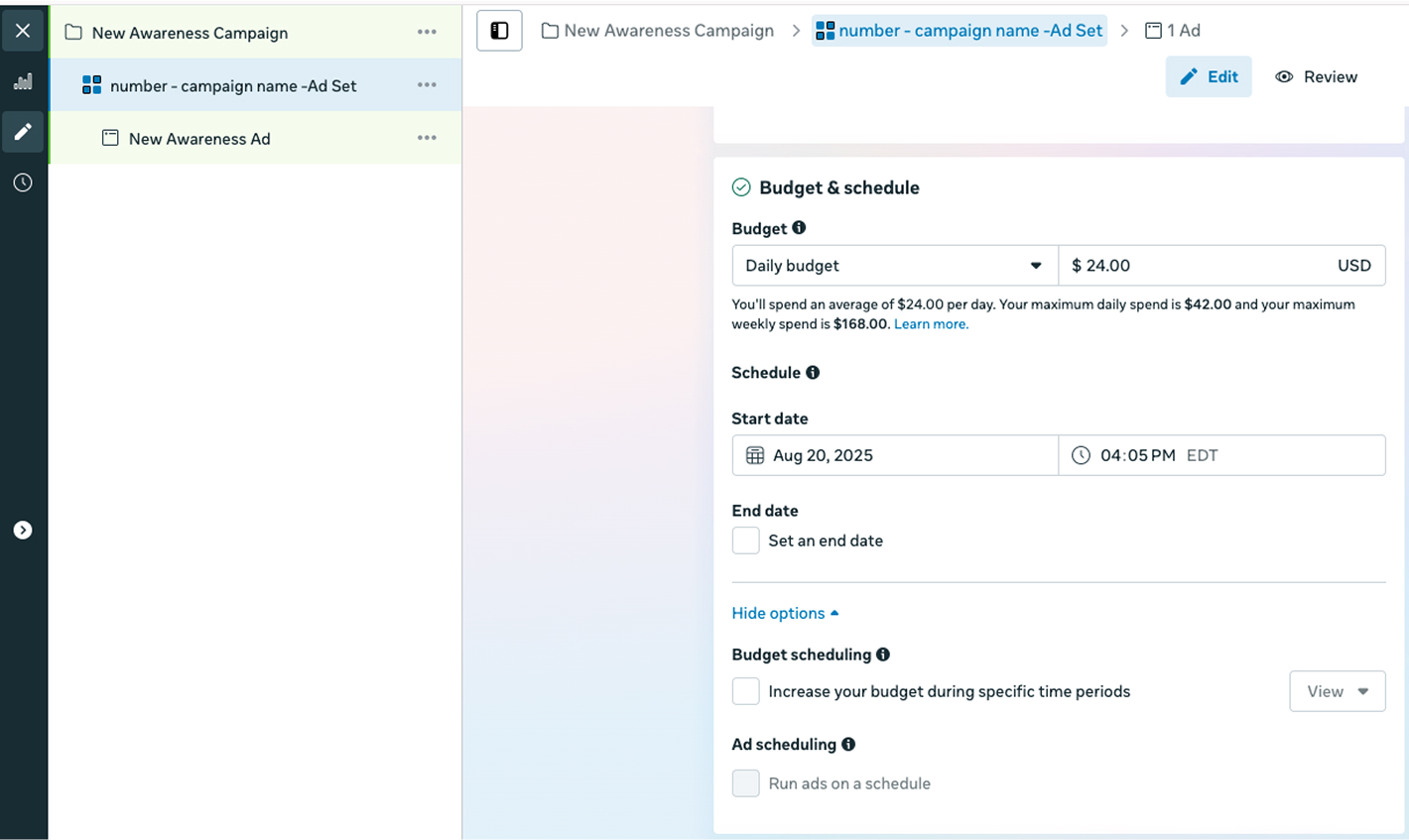
Choose whether to start immediately or schedule for a specific date and time. For awareness campaigns, running continuously for 2–4 weeks is ideal to maintain steady reach.
STEP: 7 Set Up Ad Creatives
Select your ad format — single image, video, or carousel. Choose visuals that represent your brand clearly and appeal to your audience emotionally. Keep ad copy simple, consistent with your visual message, and focused on awareness rather than hard selling.
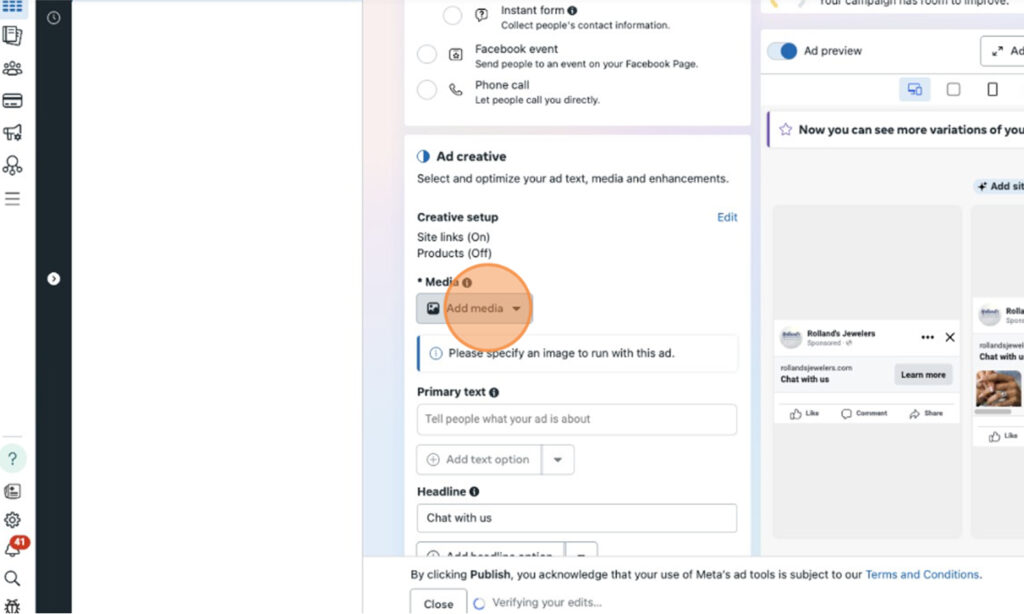
STEP: 8 Write Engaging Copy
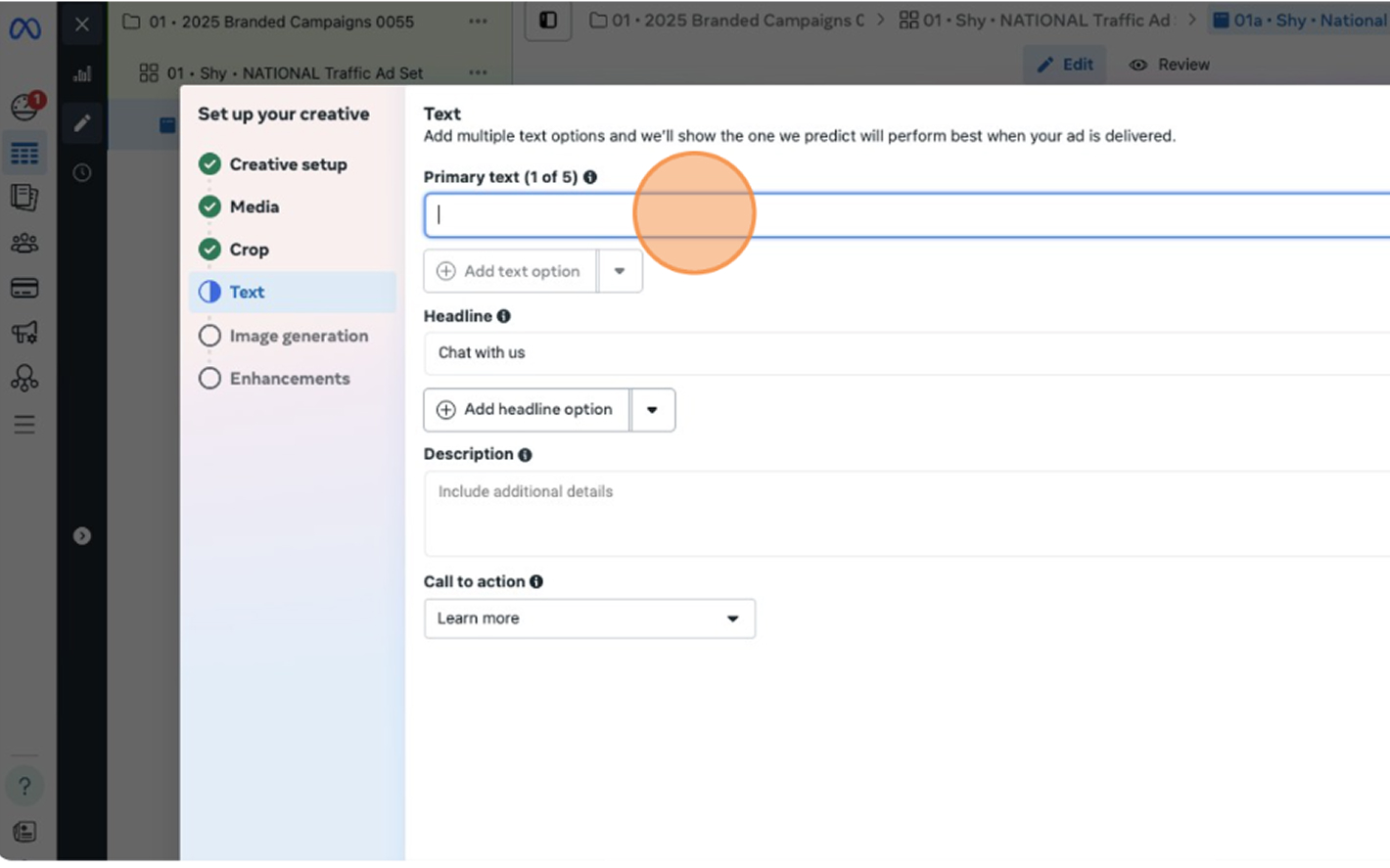
Since Reach campaigns focus on awareness, keep your copy short, bold, and memorable. Use your brand’s voice — whether that’s friendly, elegant, or bold — and include a simple call to action like “Learn More” or “Follow Our Page.”
Example:
“Shine brighter than ever ✨ Explore our latest jewelry collection — crafted to turn every moment into a statement.”
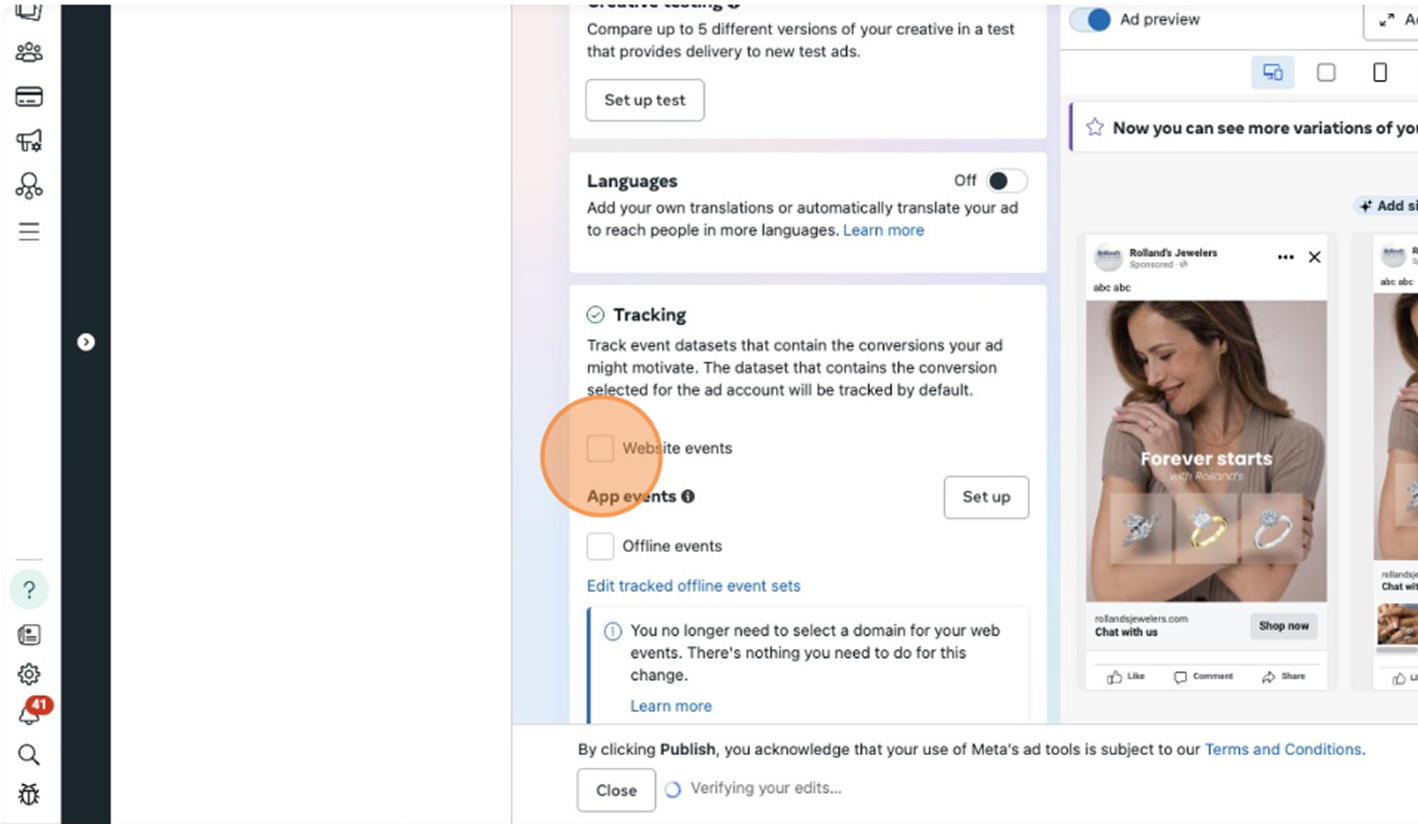
STEP: 9 Add Tracking (Website Events)
Under the Tracking section, ensure Website Events are enabled. This connects your campaign with your Meta Pixel, allowing you to monitor engagement and impressions accurately.
STEP: 10 Review and Publish
Once your campaign setup is complete, double-check your settings — objective, audience, placements, creative, and tracking. When everything looks good, click Publish to launch your campaign.
Want the full checklist version? Download the Facebook Reach Campaign SOP PDF here
FAQ
What is a Facebook Reach Campaign?
A Reach Campaign aims to show your ad to the maximum number of people in your target audience. It focuses on awareness, not conversions, making it ideal for building visibility.
How is Reach different from Awareness?
Awareness campaigns optimize for recall and perception, while Reach campaigns focus on delivering your ads to as many people as possible within your budget.
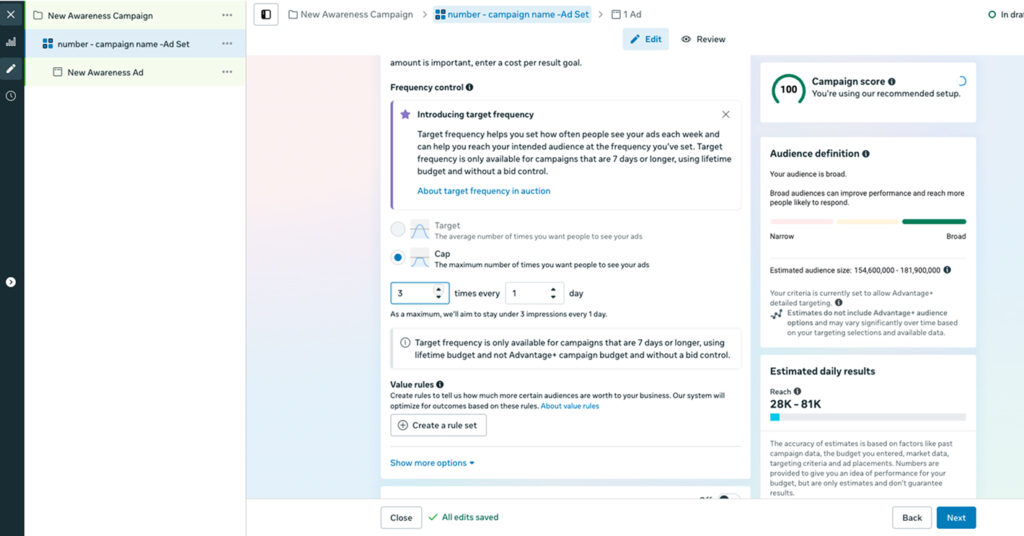
What’s the ideal frequency for Reach ads?
Typically, 1–2 impressions per week works best to avoid ad fatigue while maintaining visibility.
How long should a Reach campaign run?
2–4 weeks is ideal for building awareness. For ongoing brand exposure, you can extend duration and refresh creatives monthly.
Can Reach campaigns drive sales?
While their primary goal is visibility, Reach campaigns often influence upper-funnel awareness that leads to future conversions.
Launch Your Campaign
You’ve now learned how to create and optimize a Facebook Reach Campaign – from selecting your audience and placements to setting frequency caps and tracking performance. With this foundation, your brand is positioned to expand visibility, attract new customers, and strengthen recognition.
At NANO, we’ve helped Shopify and DTC brands scale through data-driven strategies that drive consistent growth across paid, organic, and retention channels. If you’re ready to build campaigns that not only reach but also resonate, book a free strategy call with our team – and let’s grow your brand together.