

Overview
If your goal is to spark conversations, increase comments, and build brand loyalty through genuine interaction, a Facebook Engagement Campaign is your go-to strategy.
Unlike Traffic or Reach campaigns that focus on exposure, Engagement campaigns help your audience connect directly with your content – whether that’s liking your posts, commenting, sharing, or following your page.
This guide walks you through each step of setting up, structuring, and optimizing a Facebook Engagement Campaign so you can drive meaningful interactions and strengthen your community presence.
Prefer a quick checklist version? Download the Facebook Engagement Campaign SOP PDF here
Shortcuts ✂️
- Setting Up Engagement Campaign in Meta Ads Manager
- Building Audience Targeting
- Choosing Conversion Location & Optimization
- Budgeting and Scheduling
- Ad Selection & UTM Tracking
- Website Events & Publishing
- FAQ
STEP: 1 Create Campaign
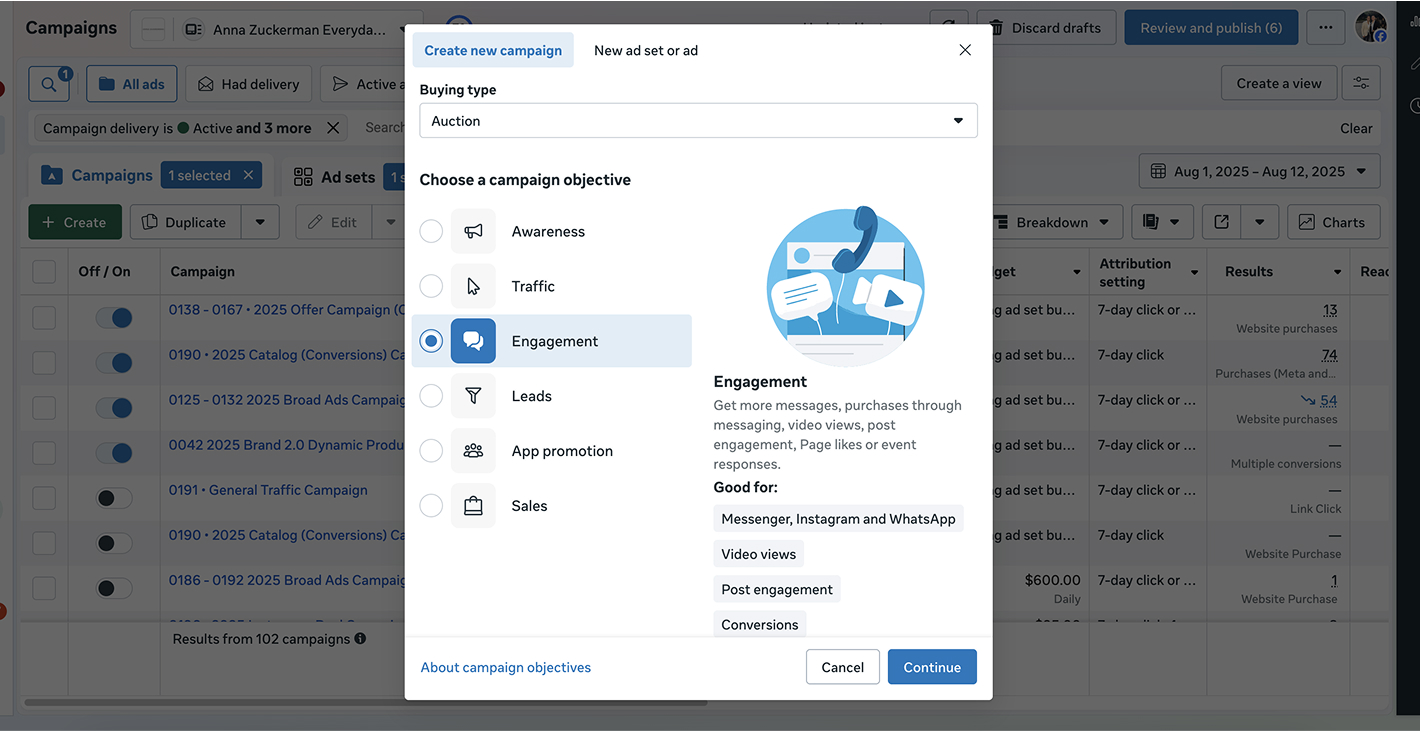
In Meta Ads Manager, click Create Campaign.
From the campaign objectives, select Engagement – this tells Meta to optimize for likes, comments, shares, or post interactions.
STEP: 2 Name Your Campaign and Ad Set
Use a clear naming structure to stay organized.
Example: “01 – 2025 – Engagement Campaign – BrandName.”
Apply this format for both the Campaign and Ad Set to keep reporting consistent.
STEP: 3 Set Conversion Location & Goal
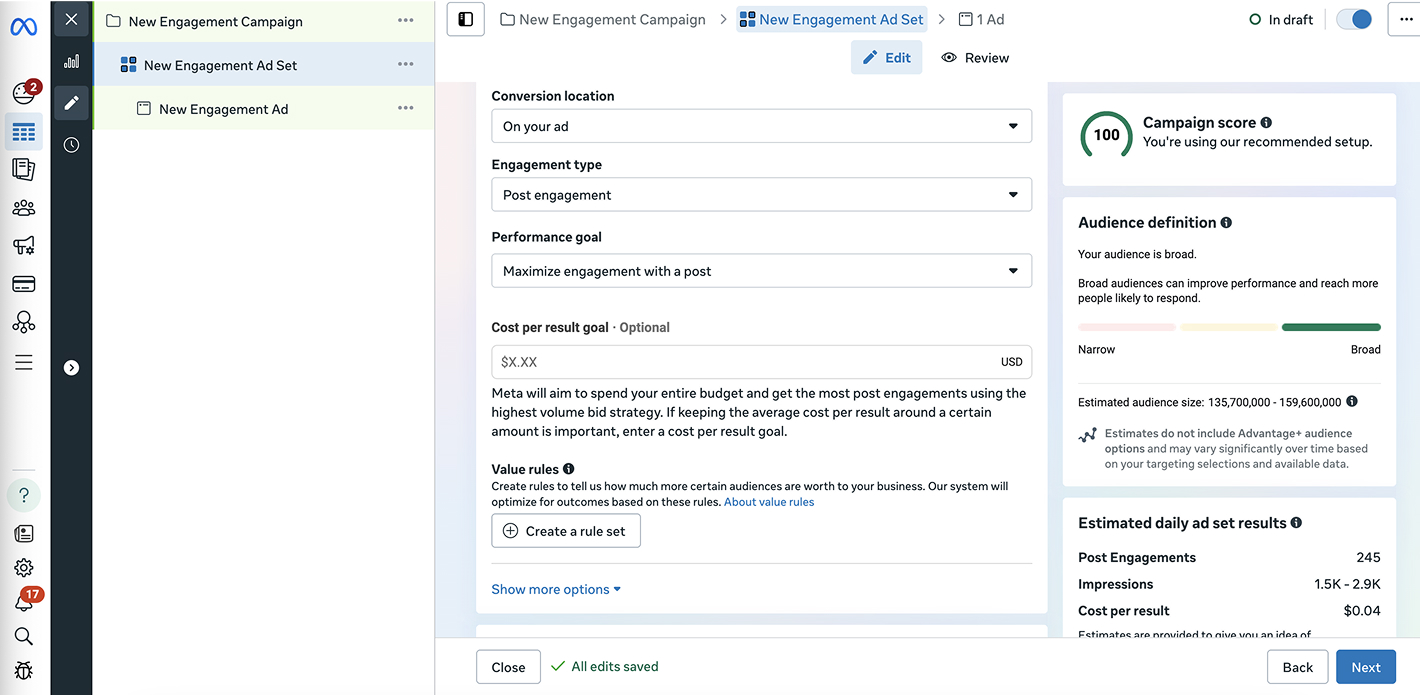
Choose where you want people to engage — typically Post Engagement for Facebook or Instagram content.
If you’re running engagement ads for a specific post or video, select that placement under Ad Set → Conversion Location.
STEP: 4 Adjust Budget & Schedule
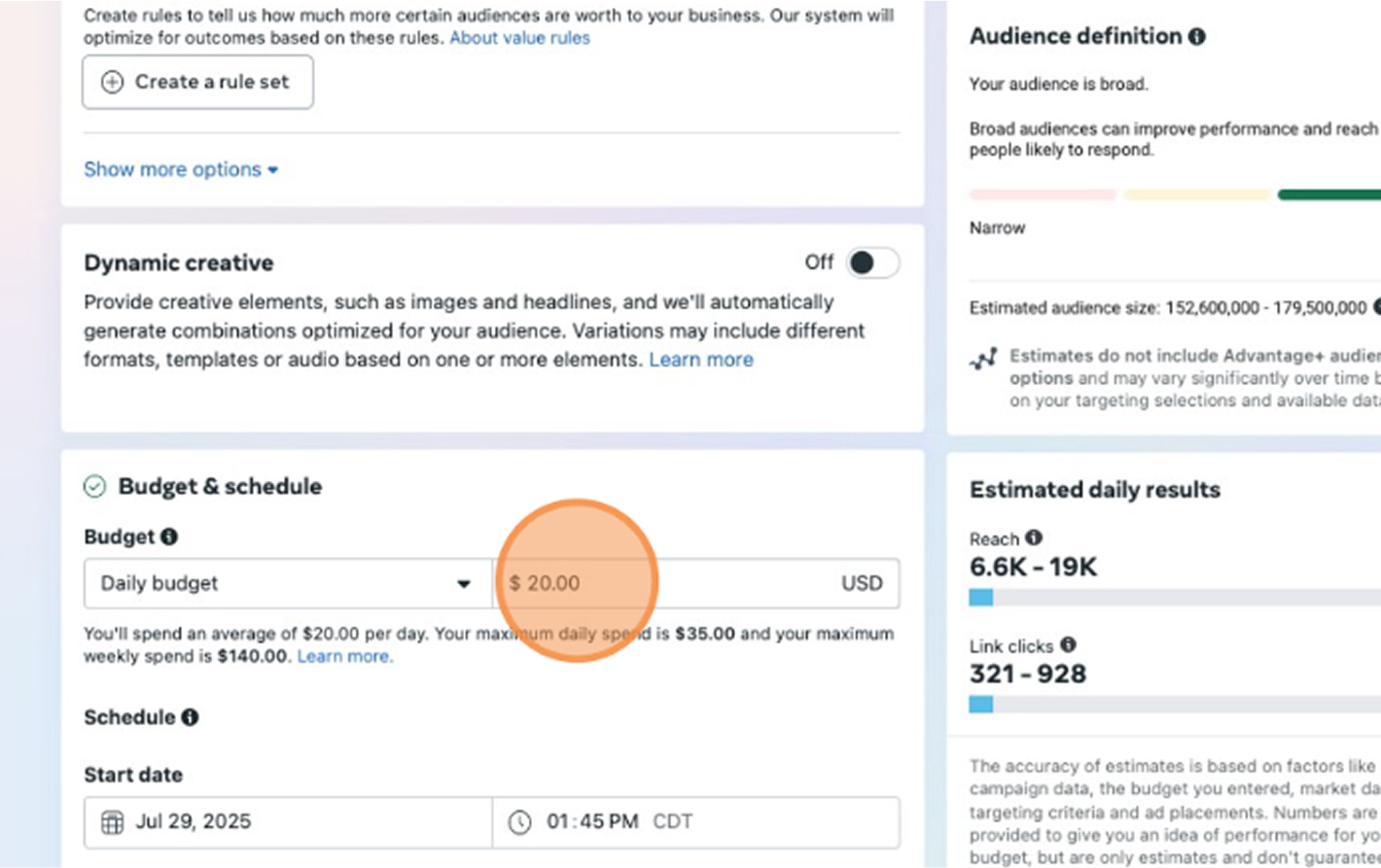
Set your daily or lifetime budget based on campaign goals. Engagement campaigns can start small (e.g., $10–$20/day) and scale as you see results.
You can either schedule a fixed campaign duration or let it run continuously.
STEP: 5 Upload Ad Creatives
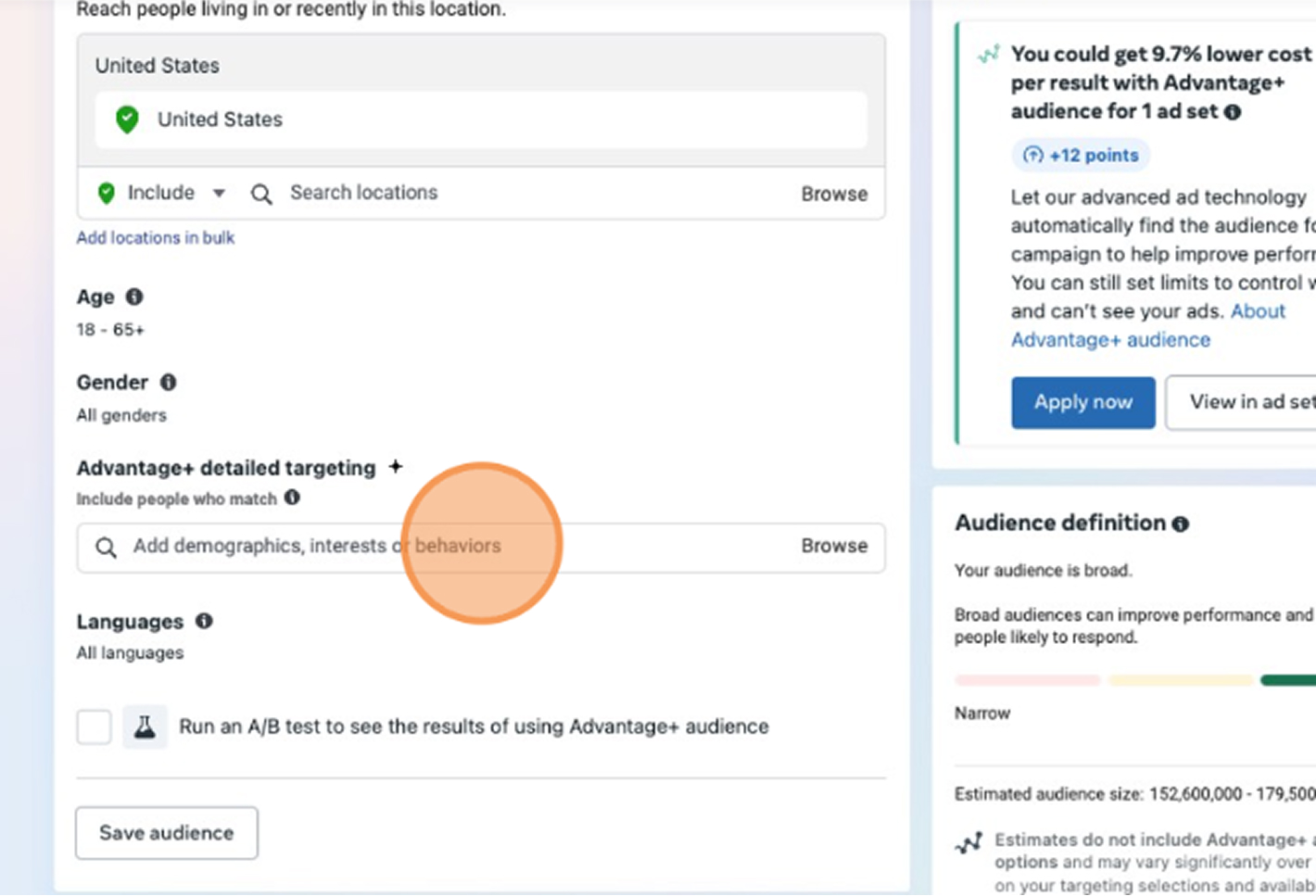
Under Detailed Targeting, add interests, demographics, or behaviors that align with your brand’s audience.
Example: target users interested in fashion, beauty, fitness, or lifestyle content depending on your niche.
For best performance:
- Keep the audience size moderate (1–5 M people).
- Exclude recent purchasers if engagement isn’t your post-purchase goal.
- Use Lookalike Audiences from your engaged users or page followers.
STEP: 6 Ad Setup: Select Existing Post
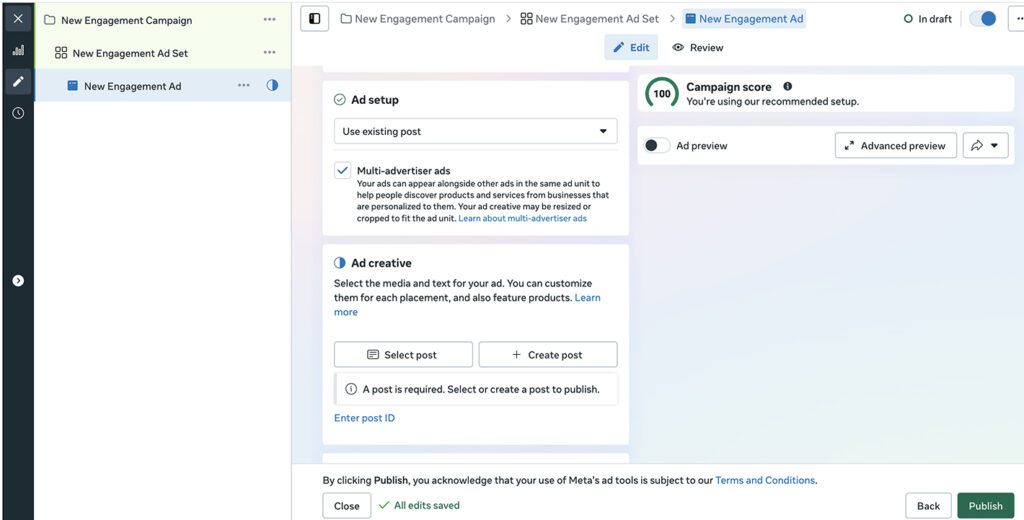
Under the Ad level, choose Use Existing Post instead of creating a new ad.
Select one of your best-performing posts with strong visuals and captions — organic proof helps boost engagement rates.
STEP: 7 Add UTM Parameters
For tracking in GA4 or Looker Studio, fill out UTMs properly:
- Campaign Source: facebook
- Campaign Medium: paid_social
- Campaign Name: brand + engagement_campaign
- Campaign Content: ad_number (e.g., 01a)
After entering parameters, click Apply to save.
STEP: 8 Set Up Tracking (Website Events)
Enable Website Events to track engagements and interactions connected to your Meta Pixel.
This ensures you can attribute post engagements and interactions back to user behavior on your website.
STEP: 9 Publish Your Campaign
Once you’ve reviewed all details — budget, targeting, creative, and tracking — click Publish.
Meta will begin delivering your ads to users most likely to engage with your posts.
FAQ
What is a Facebook Engagement Campaign?
It’s a campaign type designed to increase interactions (likes, comments, shares, and post clicks) rather than website traffic or purchases.
Who should use Engagement Campaigns?
Brands aiming to grow page followers, boost social proof, or build community engagement before conversion campaigns.
What is a good engagement rate to aim for?
Typically 1–3 % is average; 5 % or higher indicates strong content performance.
How often should I refresh my ads?
Every 3–4 weeks to prevent ad fatigue and keep audience interest high.
Can I retarget engaged users later?
Yes — you can create Custom Audiences from users who liked or commented on your posts and use them in future retargeting campaigns.
Launch Your Engagement Ads
You’ve now set up your Facebook Engagement Campaign – from choosing objectives and targeting to tracking and publishing.
The next step is to monitor your metrics (engagement rate, cost per engagement, reach) and continue testing new posts that spark conversation.
At NANO, we’ve spent over 20 years helping brands build authentic connections through paid social and community-driven campaigns.
If you want help turning your social presence into a true growth engine, book a free consultation with our team today – and let’s make your next campaign go viral.