


Overview
Google’s Demand Gen Campaigns are designed to help brands create awareness, spark interest, and build demand before customers are ready to buy. These campaigns use audience-based targeting across Google’s most visual platforms — YouTube, Discover, and Gmail — to reach users who are likely to engage with your brand.
For ecommerce and service-based businesses, a Demand Gen campaign is ideal for top-of-funnel marketing — capturing attention, educating potential buyers, and nurturing them into future conversions.
In this guide, we’ll walk you through how to set up a Google Demand Gen Campaign inside Google Ads Manager — from choosing objectives and setting budgets to crafting your ad creatives and publishing your campaign.
Prefer the checklist version? Download the Google Demand Gen Campaign SOP PDF here
Shortcuts ✂️
- Creating a Demand Gen Campaign in Google Ads
- Selecting Objectives & Conversion Actions
- Budget & Goal Setup
- Audience & Channel Targeting
- Ad Group & Creative Setup
- Headlines, Descriptions & CTAs
- Publishing & Review
- FAQ
Step 1 – Create Campaign
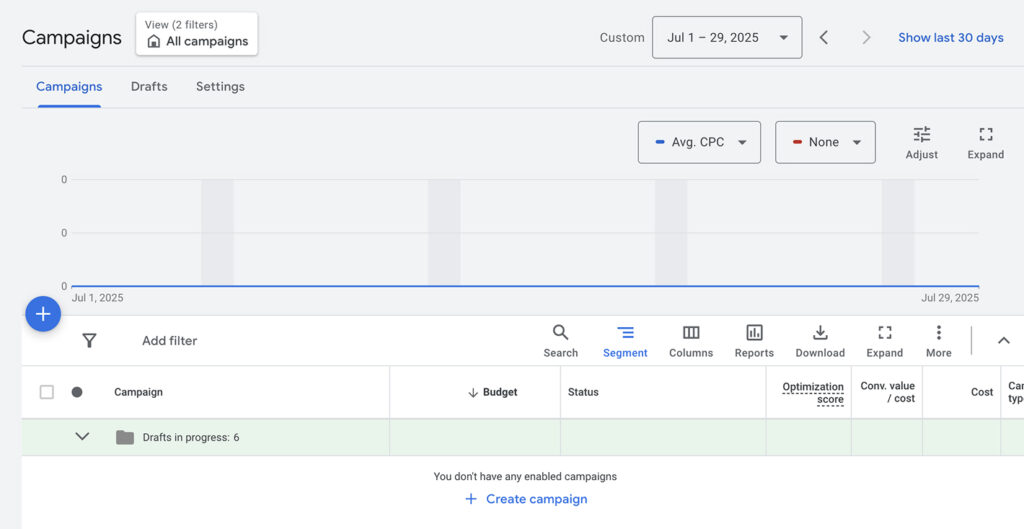
In Google Ads, click the blue “+” icon on the left sidebar.
Select New Campaign to start your setup.
Step 2 – Choose Your Objective
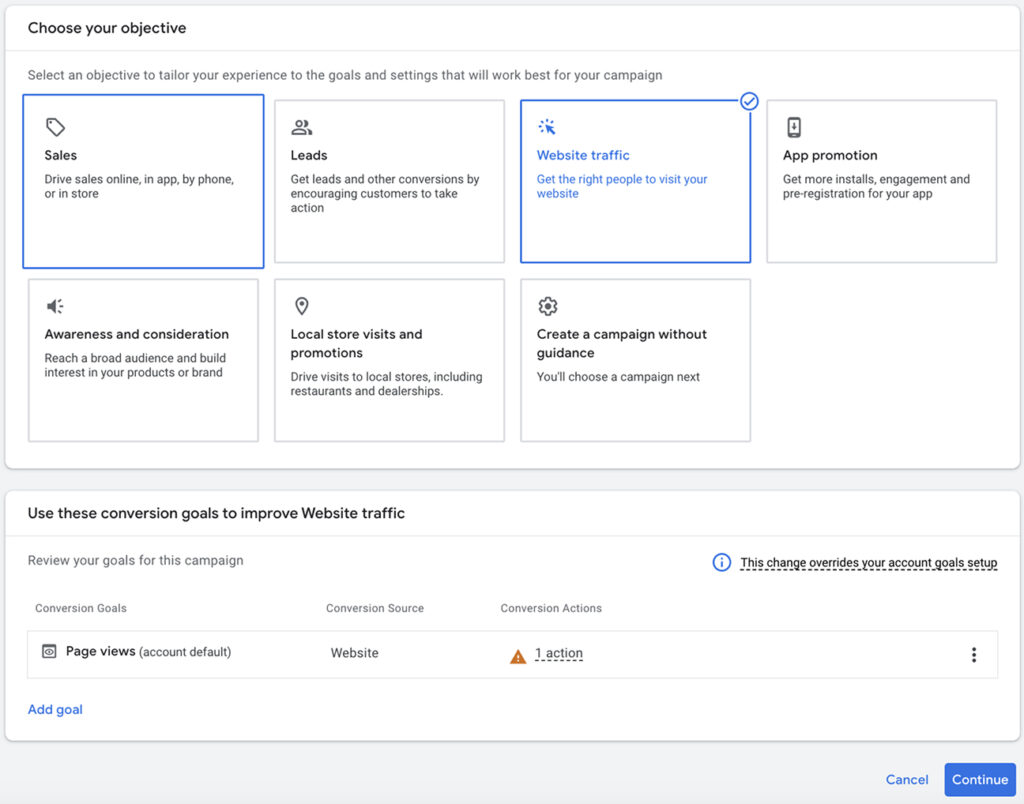
Select Leads as your campaign objective.
This ensures that Google optimizes your ad delivery for users most likely to engage and convert.
Step 3 – Set Conversion Actions
In the Conversions section, remove unnecessary actions (e.g., Add to Cart, View Page).
Keep Page View or your most relevant conversion goal to ensure clean data tracking.
Step 4 – Choose Campaign Type
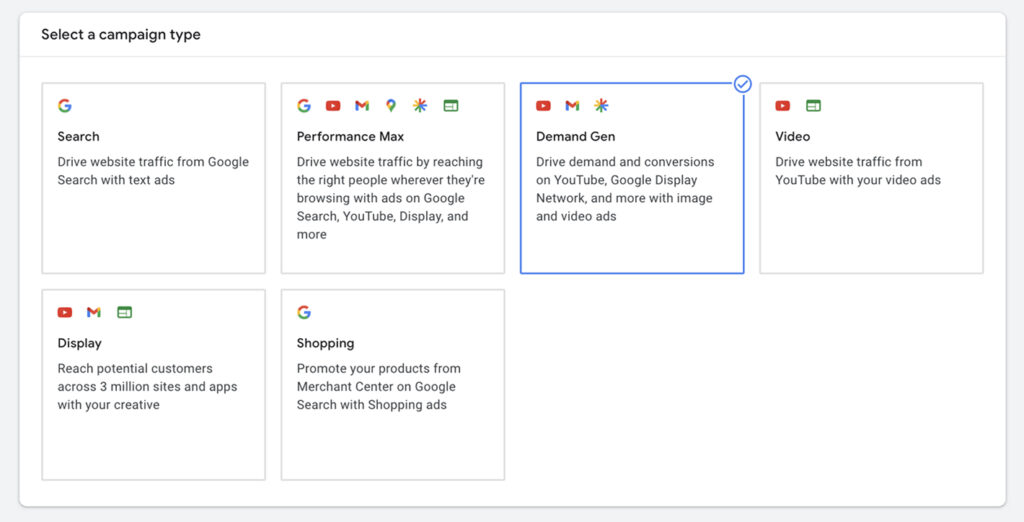
Select Demand Gen as your campaign type.
This enables delivery across Google’s visually rich platforms like YouTube, Gmail, and Discover.
Step 5 – Set Campaign Goal & Budget
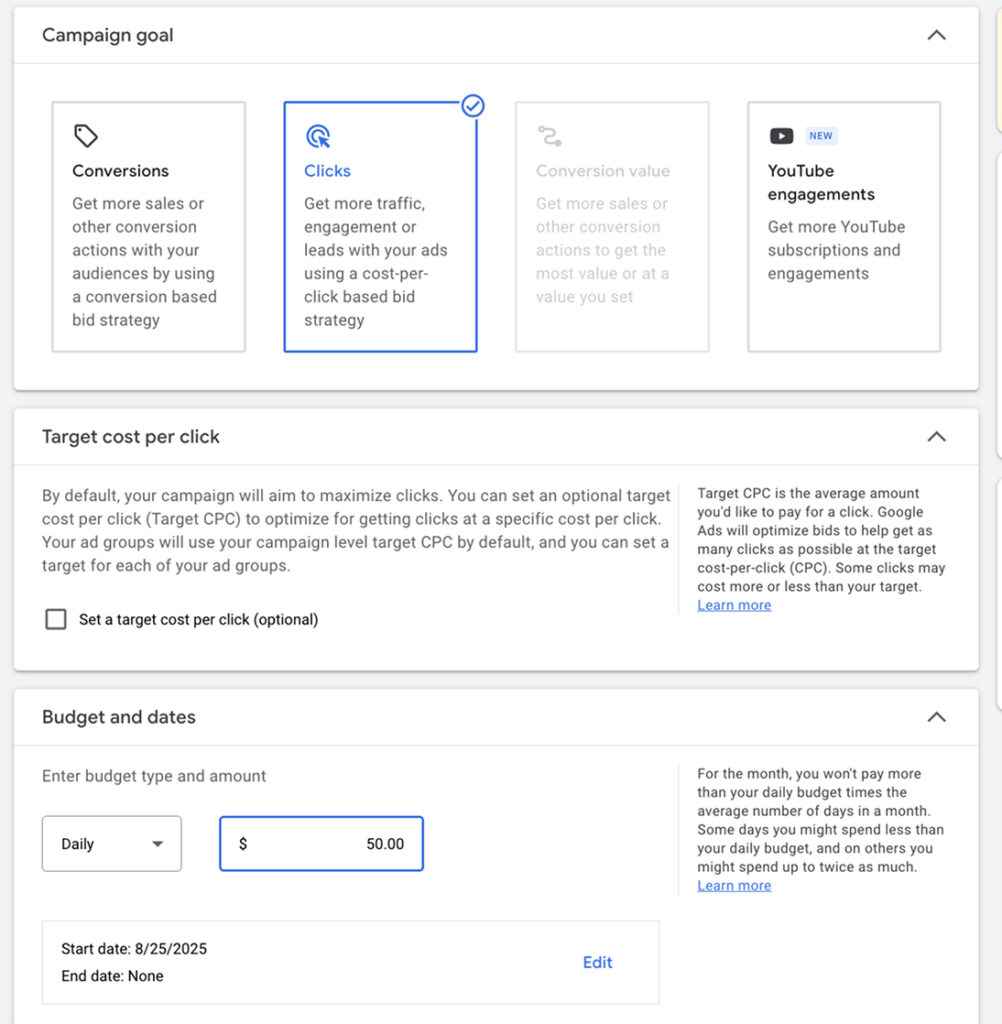
Enter your campaign goal and daily or monthly budget.
Start with a moderate spend to allow Google’s AI to learn and optimize effectively.
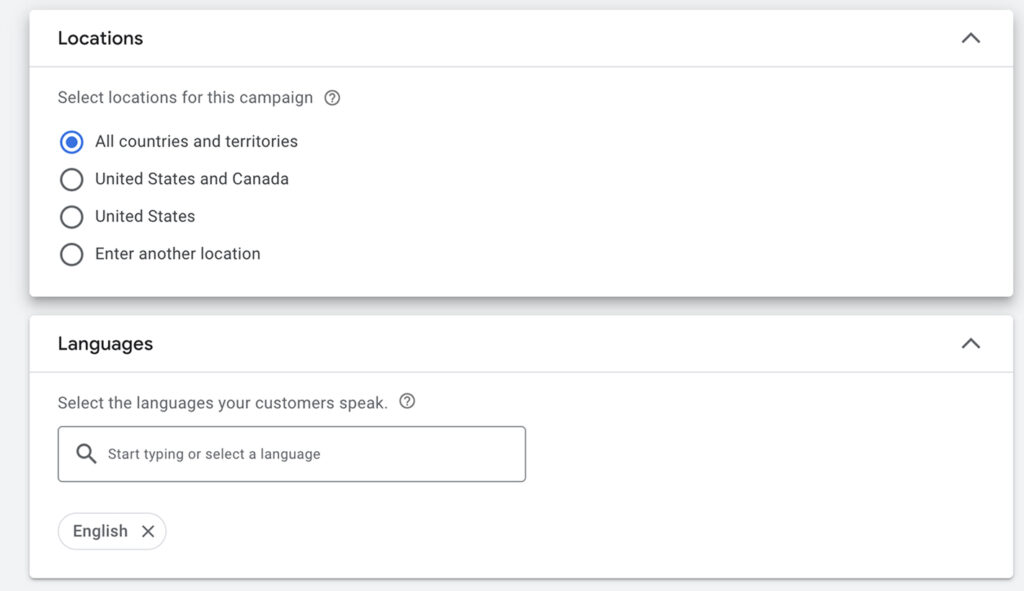
Step 6 – Define Location & Language
Select the geographic locations and languages your customers speak.
This ensures your campaign targets only the most relevant regions.
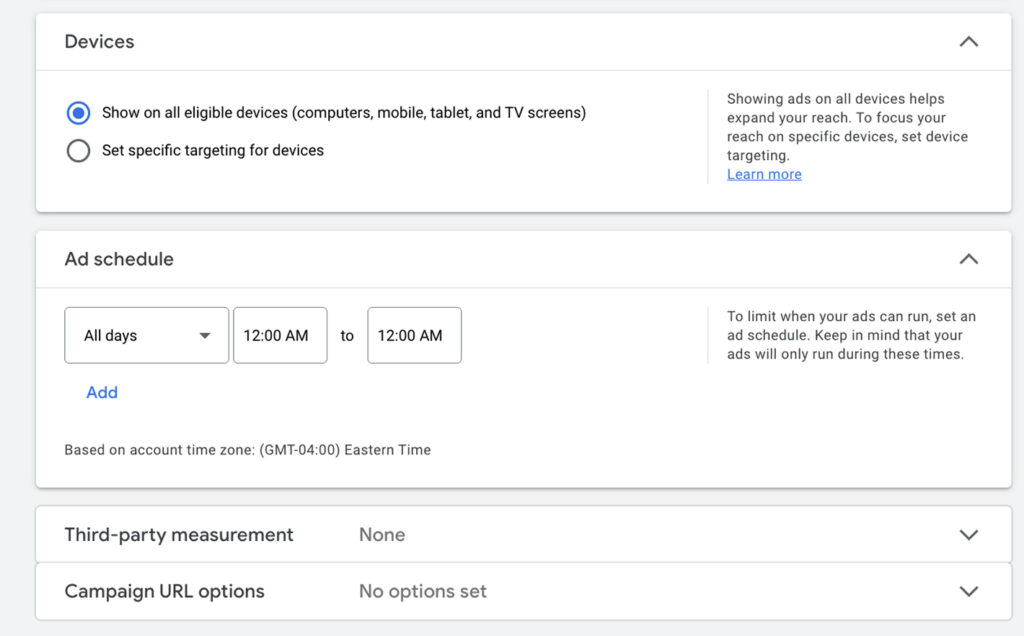
Step 7 – Additional Settings
Adjust your device targeting, ad schedule, and frequency limits as needed.
Leave most settings on default initially so Google can collect learning data.
Step 8 – Create Your First Ad Group
Give your Ad Group a clear name — for example:
2025 – DemandGen – Awareness – BrandName.
Under Channels, let Google automatically select placements for best optimization.
Step 9 – Add Audience Targeting
Choose your targeting strategy:
- Interests: Users interested in your niche (e.g., beauty, fashion, tech).
- Custom Segments: Based on keywords, websites, or app activity.
- Lookalike Audiences: Similar to your existing customers or converters.
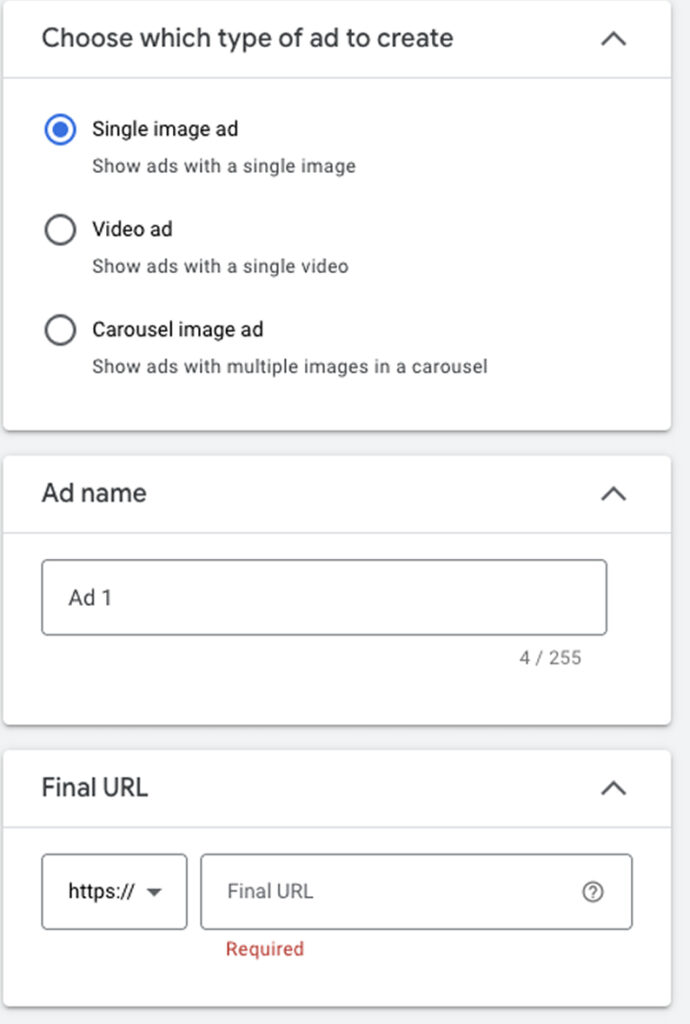
Step 10 – Create Your Ad
At the Ad level:
- Choose your Ad Type: Video, Image, or Carousel.
- Name your ad for easy reference (e.g., Awareness_Video_01).
- Enter your Final URL (the landing page users will visit).
Step 11 – Upload Your Media Assets
Add all creative assets — images, logos, and videos.
Use engaging, high-quality visuals that tell your brand story.
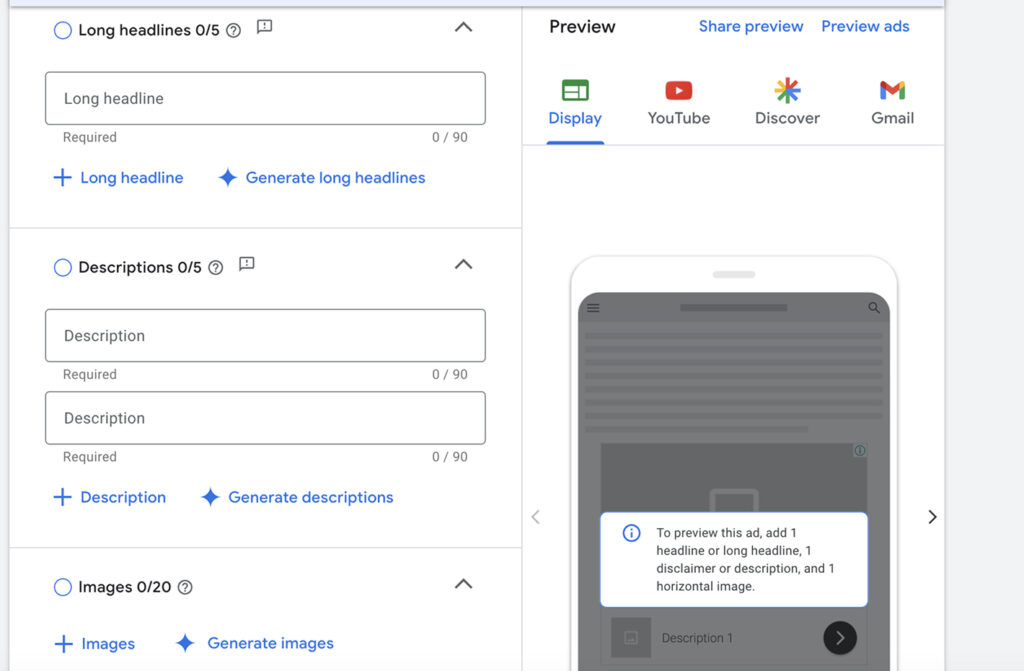
Step 12 – Add Headlines, Descriptions & CTA
Write strong, action-driven headlines and supporting descriptions.
Include a clear Call-to-Action (CTA) such as Learn More, Shop Now, or Subscribe.
Pro Tip: Fill out all available fields — Google’s algorithm performs best when you use the full range of assets.
Step 13 – Review & Publish
After filling in all five Headlines, five Descriptions, and up to 20 images, review your setup.
Click Publish to launch your Demand Gen campaign.
FAQ
What is a Google Demand Gen Campaign?
YA Demand Gen campaign uses Google’s visual networks like YouTube, Discover, and Gmail to build awareness and generate interest before users are ready to purchase.
How is it different from Performance Max?
PMax focuses on conversion-driven results across all Google channels, while Demand Gen is geared toward top-of-funnel engagement and awareness.
What ad types can I use?
You can use videos, carousels, or static images depending on your campaign’s creative assets.
What is the minimum budget for Demand Gen?
It depends on your goals, but starting at $20–$30/day helps Google collect data effectively during the learning phase.
Can I retarget users from my Demand Gen campaign?
Yes — users who engage with your ads can be added to retargeting lists for future campaigns.
Launch Your Demand Gen Campaign
You’ve now set up your Google Demand Gen Campaign — from audience targeting and creative uploads to publishing. With this setup, your brand can generate awareness and spark demand across Google’s most engaging platforms.
At NANO, we help brands reach the right audience through creative strategy and AI-driven optimization.
If you’re ready to build stronger brand visibility and connect with new customers, book a free strategy call with our team today — and let’s make your ads unforgettable.