

Overview
A well-structured Google Performance Max (PMax) Search Campaign can help your brand reach the right audience across Google’s entire network — including Search, Display, YouTube, and Gmail — using automation and AI-driven optimization.
For ecommerce and service-based businesses, this campaign type maximizes visibility and conversions by combining all ad formats under one goal.
In this guide, we’ll walk through every step of setting up a Google Search (Performance Max) Campaign, from choosing objectives and linking your Merchant Center to creating ad assets, setting your bid strategy, and defining audience signals.Prefer the checklist version?
Download the Google Search Campaign SOP PDF here
Shortcuts ✂️
- Creating a Google Search Campaign
- Selecting Objectives & Conversion Actions
- Linking Merchant Center
- Bid Strategy & Budget Setup
- Customer Acquisition & Location Targeting
- Asset Group Creation & Ad Setup
- Audience Targeting & Demographics
- Publishing & Optimization
- FAQ
Step 1 – Create a New Campaign
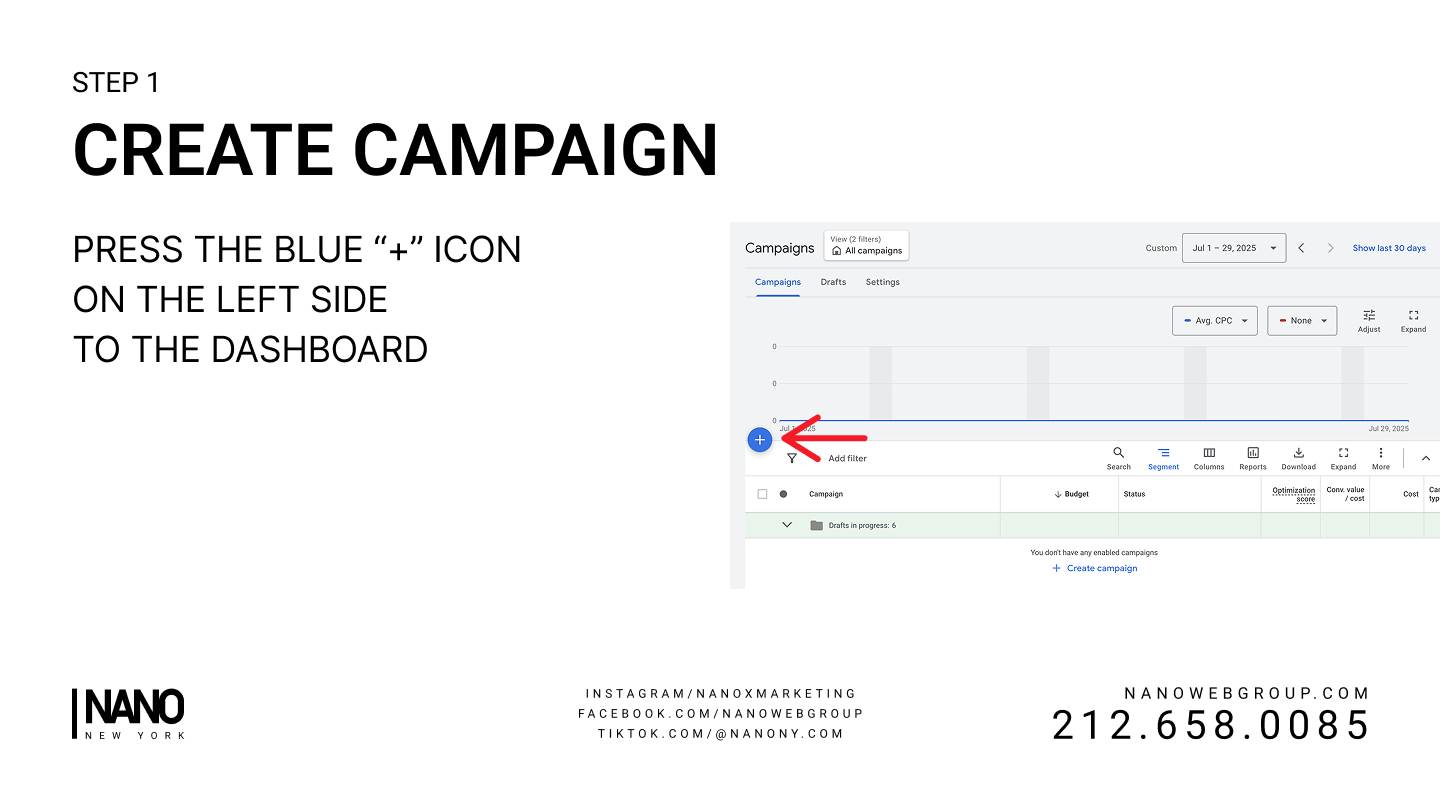
In Google Ads, click the blue “+” icon on the left side of your dashboard.
Select New Campaign to begin the setup process.
Step 2 – Choose Your Objective
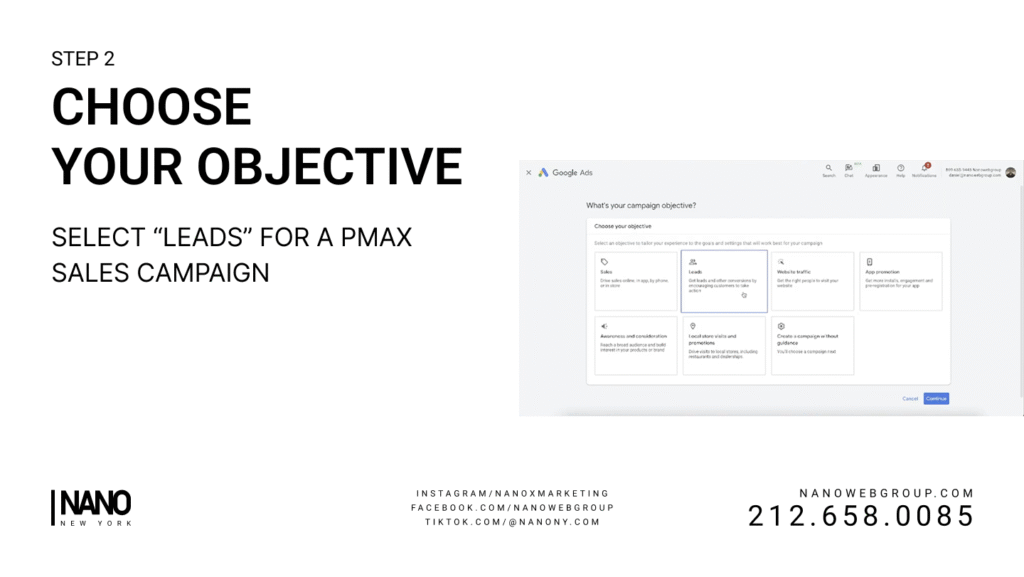
Select Leads as your campaign objective for sales-focused results.
This ensures Google optimizes for conversions and not just clicks.
Step 3 – Configure Conversion Actions
Remove unnecessary conversions like Page View or Add to Cart unless they directly align with your goals.
Keep only Purchase (or your main goal) as the primary conversion action to maintain clean, accurate reporting.
Step 4 – Select Campaign Type
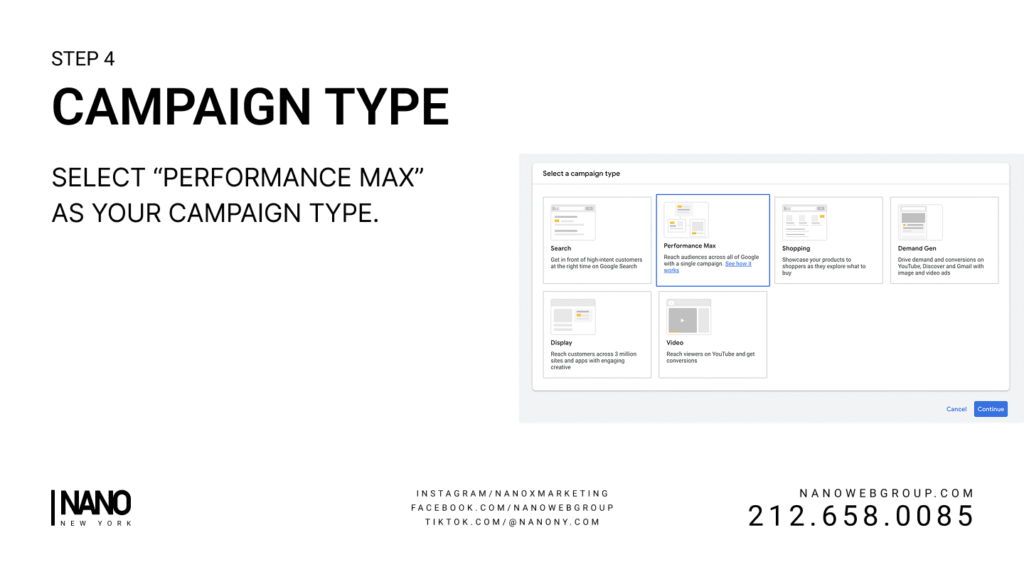
Choose Performance Max (PMax) as your campaign type.
This option uses Google’s AI to optimize ad placements across all Google properties automatically.
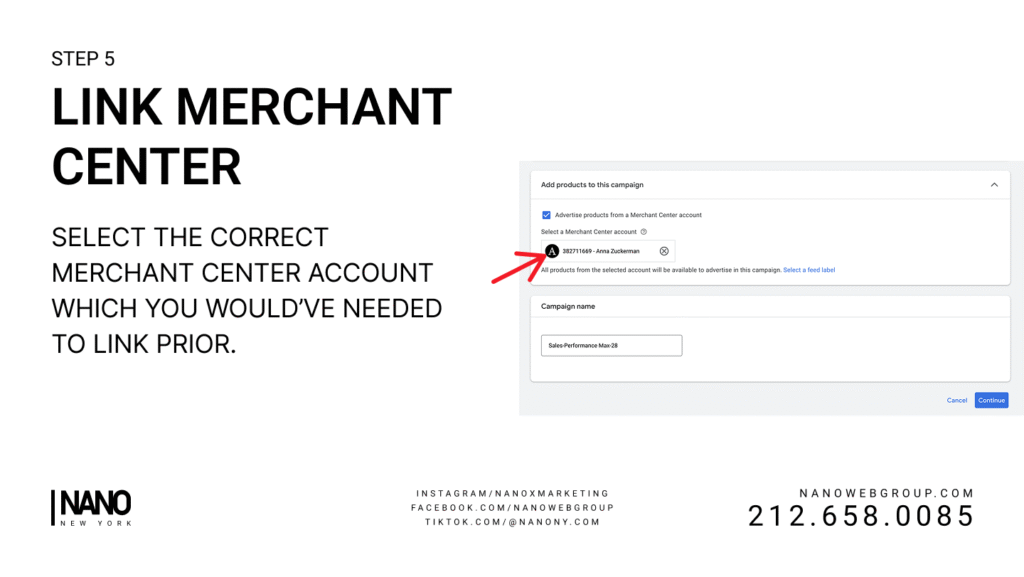
Step 5 – Link Merchant Center
Select the correct Google Merchant Center account connected to your store.
This syncs your product catalog for Shopping and Display placements within the PMax campaign.
Step 6 – Name Your Campaign
Use a consistent naming format to stay organized.
Example: 2025 – PMax – BrandName – Q1.
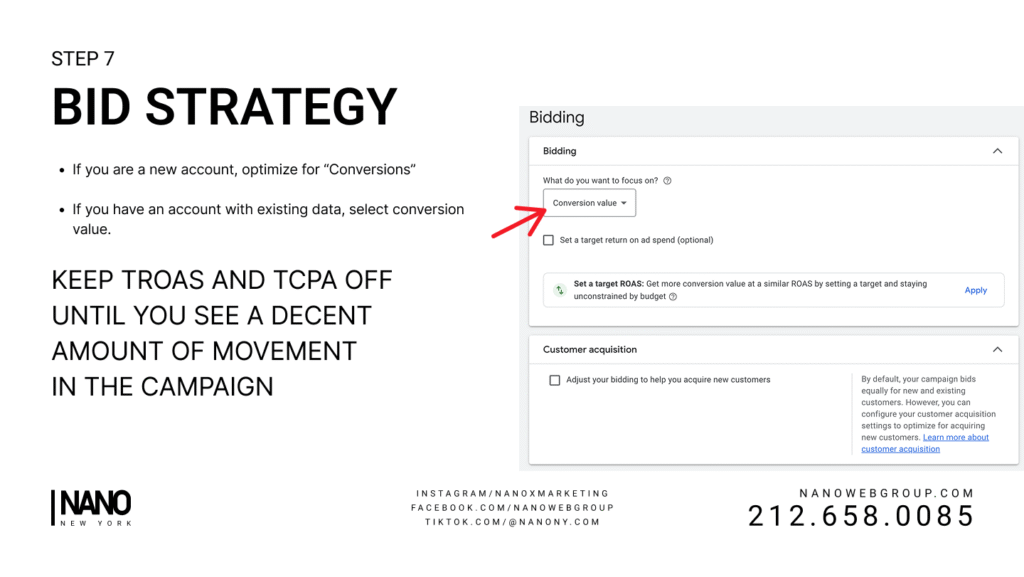
Step 7 – Choose Your Bid Strategy
- If your account is new, select Maximize Conversions.
- If you already have conversion data, choose Maximize Conversion Value.
- Keep tROAS and tCPA off initially until the campaign gathers enough data.
Step 8 – Customer Acquisition
Decide if you want to optimize for New Customers only or all users.
New customer acquisition targeting is useful for brand growth but may raise CPA slightly.
Step 9 – Location and Language Targeting
Choose your Target Locations (specific countries, regions, or cities) and Languages your customers speak.
This helps ensure your ads reach the most relevant audience.
Step 10 – Additional Settings
Avoid setting restrictive filters during the learning phase.
Let the algorithm gather performance data first before limiting placements or ad frequency.
If needed, use Brand Exclusions to prevent showing your own branded terms.
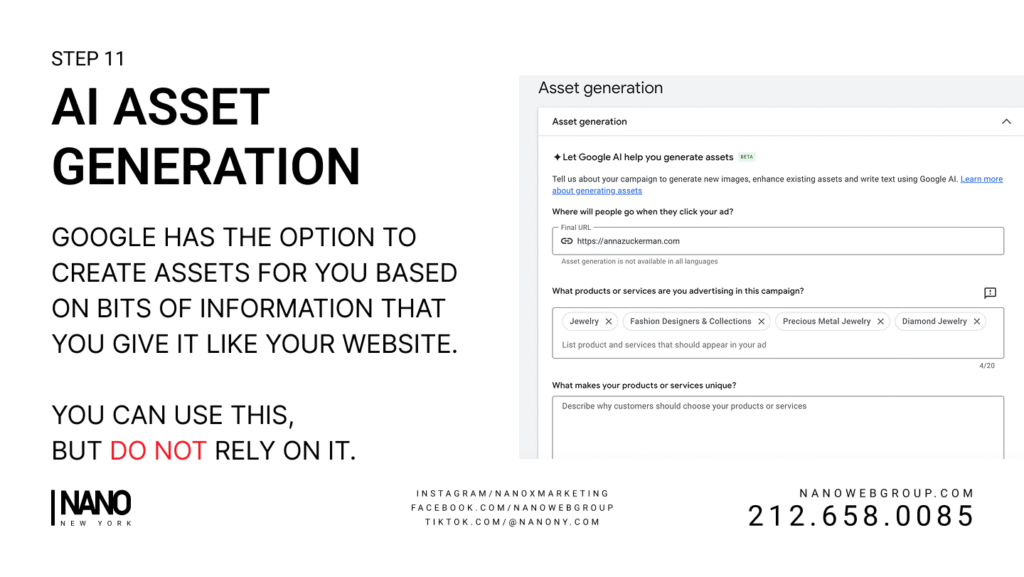
Step 11 – AI Asset Generation
Google can automatically generate assets (headlines, images, and videos) based on your website content.
You may use this feature as a supplement — but do not rely solely on AI-generated assets.
Step 12 – Asset Group Creation
Create your Asset Group Name and select products under Listing Groups that you want to advertise.
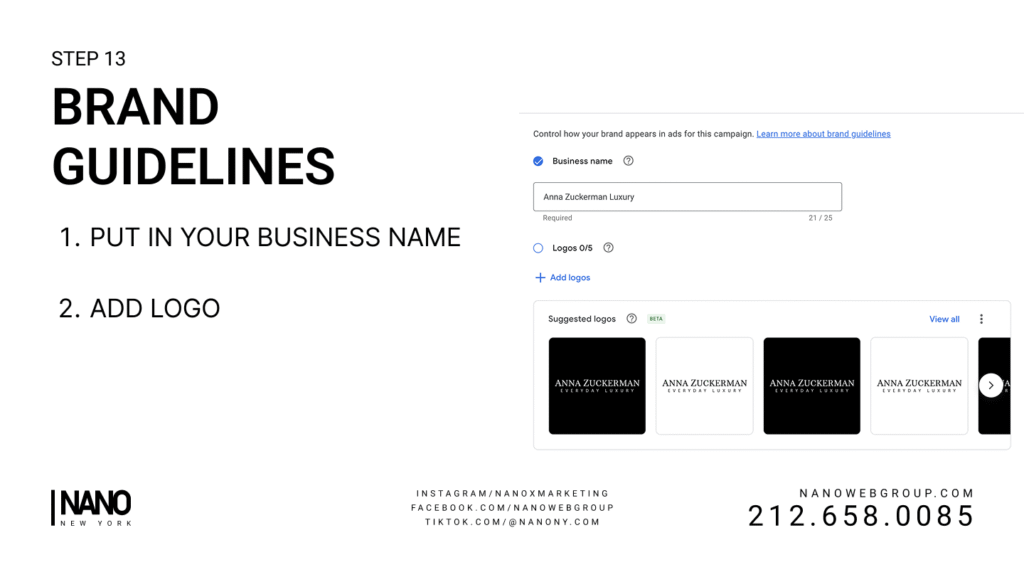
Step 13 – Add Brand Guidelines
Enter your Business Name and upload your Logo to maintain brand consistency across placements.
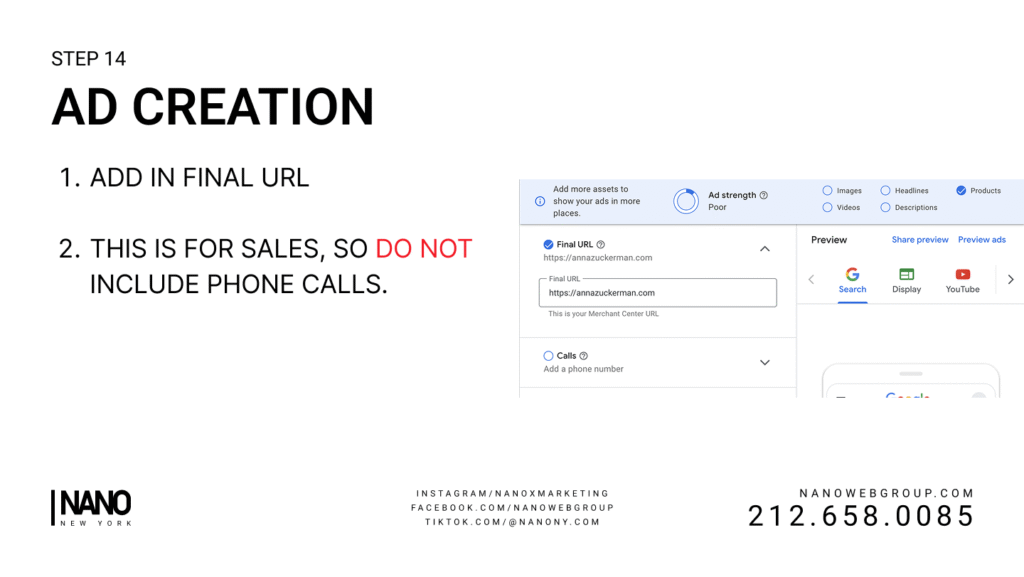
Step 14 – Ad Creation
Add the following elements for your Performance Max ad:
- Final URL: Your landing or product page
- Headlines: Use all 15 available slots (under 30 characters each)
- Long Headlines: Add all 5
- Descriptions: Add all 5
- Images: Upload all 20 image assets
- Sitelinks: Include as many as possible for higher ad rank
- Call-to-Action (CTA): Choose Shop Now, Learn More, or set manually
Step 15 – Add Search Themes
Include up to 50 Search Themes — these are keywords your audience would typically use when looking for your product or service.
Step 16 – Use Your Data (First-Party Signals)
Feed Google’s AI with strong first-party data signals:
- Customer Match Lists: Upload emails or phone numbers of past customers
- GA4 Audiences: Website visitors (30–90 days), cart abandoners, or purchasers
The more data you provide, the smarter your campaign becomes.
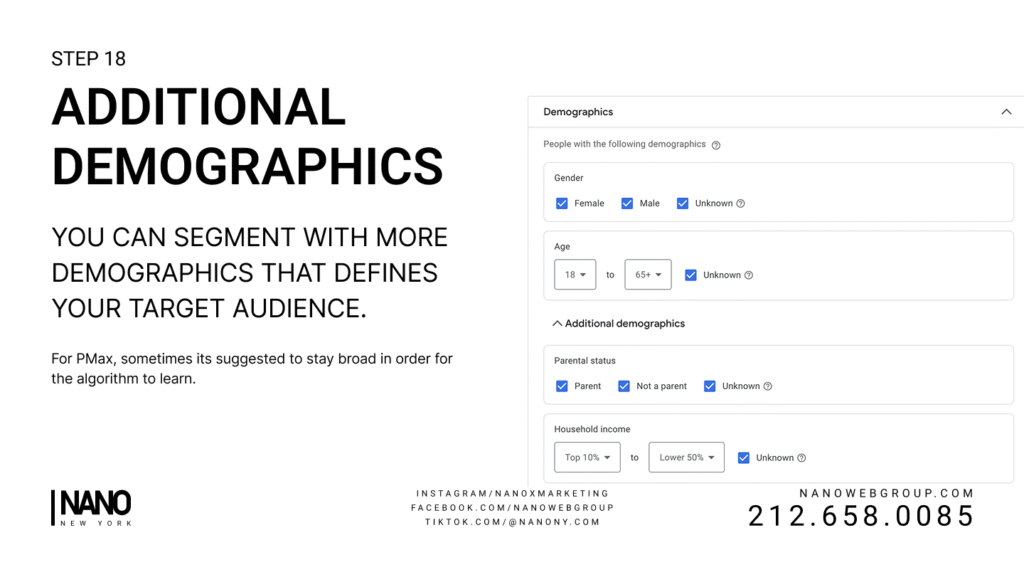
Step 17 – Audience & Demographic Targeting
Use Google’s demographic filters (age, income, and household segments) to refine delivery.
You can also build Custom Segments:
- Custom Intent: Users who search specific keywords
- Custom Affinity: Users interested in related topics (e.g., home décor, fashion, fitness)
Step 18 – Budget & Publish
Set your daily budget and review all settings.
Once confirmed, click Publish Campaign.
Monitor key metrics like Conversions, ROAS, CPA, and Click Share to track progress and optimize over time.
FAQ
What is a Google Performance Max Campaign?
A PMax campaign uses automation to serve your ads across all Google properties (Search, YouTube, Display, Gmail, Discover) with one budget and one goal.
When should I use Performance Max?
Use PMax for ecommerce or service campaigns that need visibility across multiple networks — it’s best for driving purchases or high-quality leads.
Should I use tROAS or tCPA?
Not at the start. Let the campaign collect data for 2–3 weeks, then switch to tROAS or tCPA once you see consistent conversions.
Why are my conversions low initially?
New campaigns require a learning phase. Avoid frequent edits in the first 7–14 days to allow Google’s algorithm to optimize.
Can I run manual search alongside PMax?
Yes. Many advertisers pair PMax with a standard Search campaign to capture branded terms and maintain control over specific keywords.
Launch Your Google Ads Campaign
You’ve now set up a complete Google Search (Performance Max) Campaign — from objectives and bidding to creative assets and audience targeting.
With this structure, your ads will reach new customers efficiently and continuously improve through automation.
At NANO, we help brands harness AI-driven advertising to scale profitably.
If you’re ready to improve your Google Ads performance, book a free strategy call with our team today — and let’s turn your clicks into conversions.