


Overview
A TikTok Reach Campaign is designed to get your ads in front of the maximum number of people in your target audience. Whether you’re launching a new product, running a seasonal promotion, or simply aiming to build brand recognition, a reach campaign ensures you’re seen where it matters most.
For DTC and ecommerce brands, optimizing TikTok Reach campaigns correctly helps you balance wide visibility with efficient delivery — ensuring your content drives awareness without wasting spend.
In this guide, we’ll walk through every step of creating a TikTok Reach Campaign inside TikTok Ads Manager — from audience setup and bidding to UTM tracking and publishing.
Prefer the checklist version? Download the TikTok Reach Campaign SOP PDF here
Shortcuts ✂️
- Creating a Reach Campaign in TikTok Ads Manager
- Audience & Targeting Setup
- Budget & Scheduling
- Frequency Capping & Bidding
- Ad Creative & URL Setup
- UTM Parameters
- Publishing Your Campaign
- FAQ
Step 1 – Create Campaign
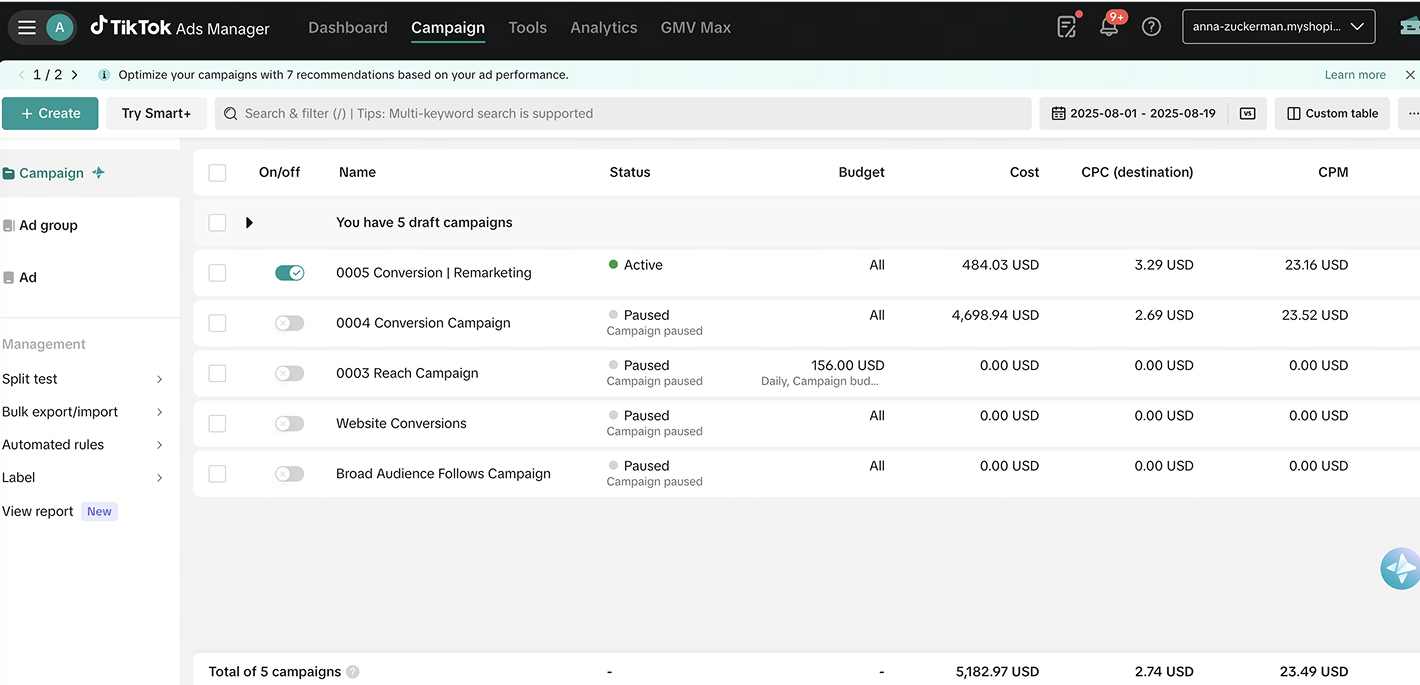
In TikTok Ads Manager, click the green “+ Create” icon on the left side of your dashboard.
Select Auction as your buying type to start the campaign setup process.
Step 2 – Choose Your Objective
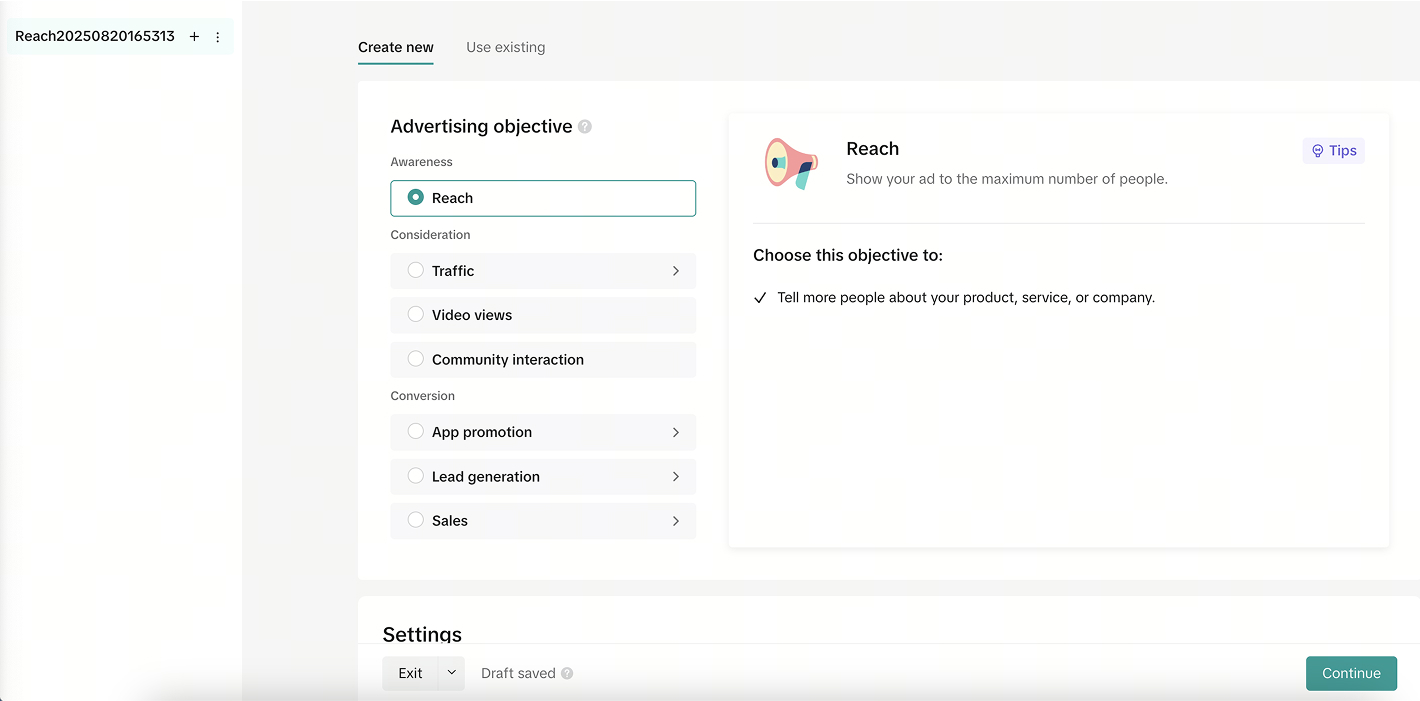
Under “Campaign Objective,” select Reach.
This tells TikTok to optimize ad delivery for impressions — ensuring your ad is seen by as many people as possible within your budget.
Step 3 – Campaign Name & Budget
Name your campaign clearly — for example:
2025 – TikTok – Reach – BrandName.
Set your daily or lifetime budget according to your campaign size and goals.
TikTok requires a minimum of $50/day for Reach campaigns.
Step 4 – Ad Group Setup
At the Ad Group level, fill out the key targeting details:
- Ad Group Name (e.g., Reach – US – 18–45 – Lifestyle)
- Location (countries, regions, or cities)
- Age Range
- Gender
Language
Step 5 – Detailed Targeting
TikTok allows multiple layers of targeting to refine your audience:
- Interest Targeting: Fashion, beauty, home décor, travel, etc.
- Behavior Targeting: Based on recent engagement (videos watched or interacted with in the past 7–15 days).
- Custom Audiences: Website visitors, customer lists, or app users (via TikTok Pixel).
- Lookalike Audiences: Find users similar to your existing customers.
- Broad/Smart Targeting: Let TikTok’s algorithm optimize reach automatically.
Pro Tip: Leave household income open to help the algorithm learn faster.
Step 6 – Device Targeting (Optional)
You can also refine your targeting by:
- Device Type (Android/iOS)
- Device Model
- OS Version
- Carrier or Internet Provider
These filters are useful for app developers or premium brand audiences.
Step 7 – Budget & Schedule
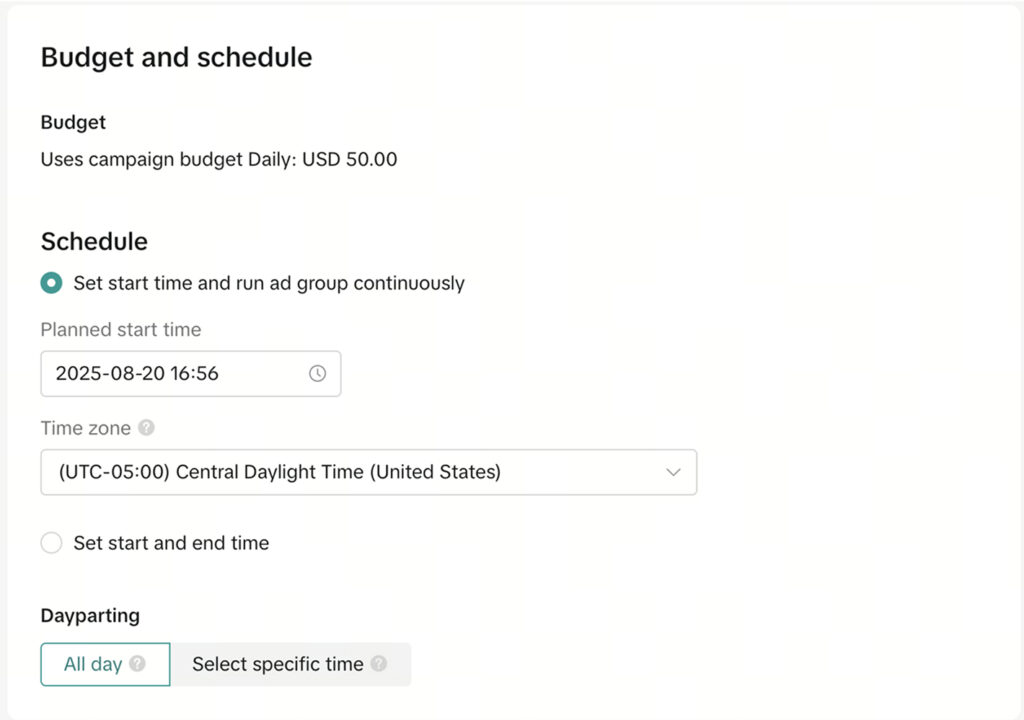
Set your daily or lifetime budget, then choose your start and end dates.
You can run continuously or schedule around campaign goals.
Step 8 – Bidding & Frequency Cap
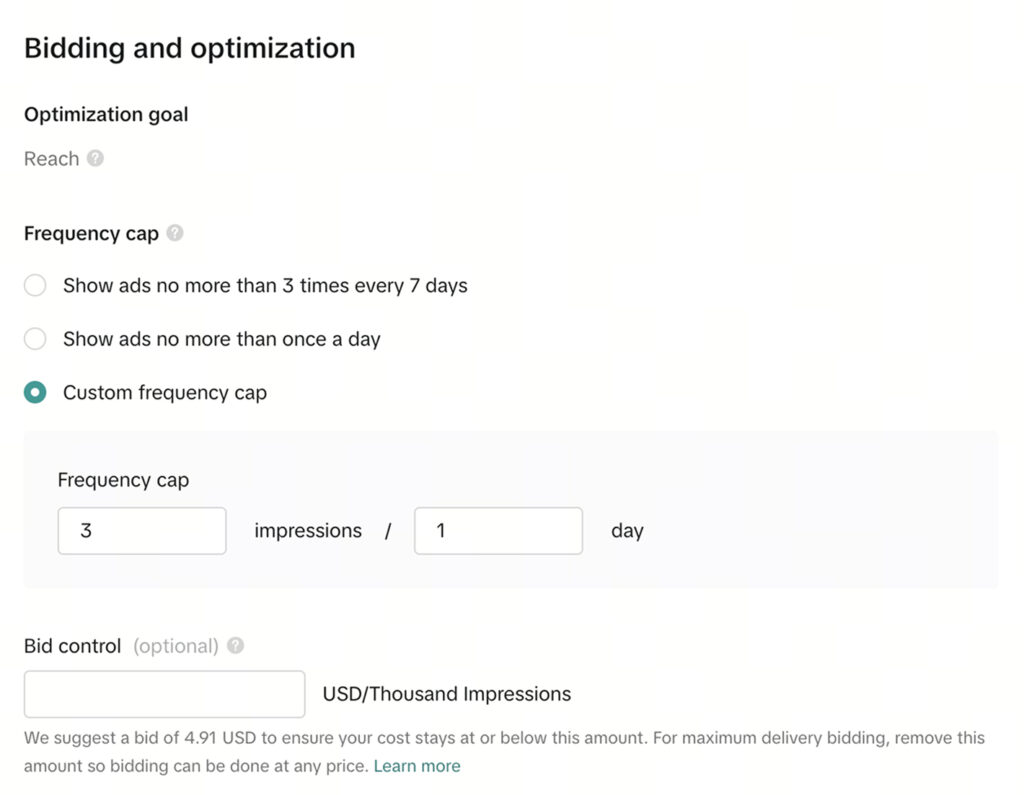
Under Bidding, set your Frequency Cap to limit how often people see your ad — typically 2–3 impressions per day is ideal.
You can leave Bid Control open initially and let TikTok’s algorithm optimize delivery automatically.
Step 9 – Ad Name & Identity
Enter your Ad Name and select the TikTok Account you’ll use to run the ad.
This ensures the ad displays under your brand’s official TikTok handle.
Step 10 – Ad Details & Creative Setup
Choose your ad format (Single Video or Spark Ad).
Upload a new video or select an existing TikTok post.
Then add:
- Call-to-Action (CTA): Choose Learn More, Shop Now, or Follow Us.
- Interactive Add-ons (optional): Stickers, polls, or countdowns for better engagement.
- Destination URL: Paste your landing page or website link.
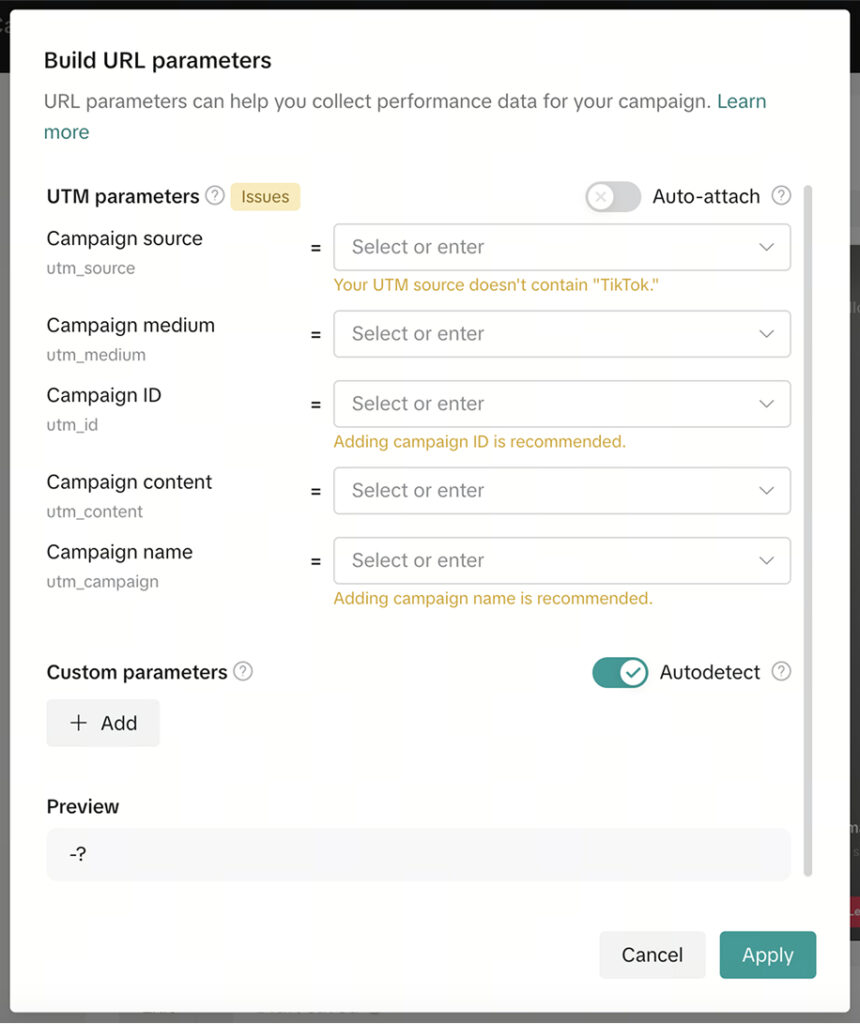
Step 11 – Add UTM Parameters
Add tracking parameters for better analytics in GA4 or Looker Studio.
Example setup:
- utm_source: tiktok
- utm_medium: paid_social
- utm_campaign: reach_campaign_2025
- utm_content: ad_01a
Step 12 – Publish Your Campaign
Once you’ve reviewed your targeting, creatives, and tracking, click Publish All to go live.
Monitor Impressions, Frequency, and CPM in TikTok Ads Manager to measure awareness performance.
Insert Screenshot: “Publish Campaign screen.”
Caption: Reviewing and publishing your Reach Campaign.
FAQ
What is a TikTok Reach Campaign?
A Reach Campaign focuses on showing your ads to as many people as possible within your target audience and budget.
How is it different from a Traffic Campaign?
Reach campaigns optimize for impressions, while Traffic campaigns optimize for link clicks or landing page visits.
What’s the minimum budget for TikTok Reach?
TikTok requires a minimum of $50 per day for Reach campaigns.
How often should I refresh creatives?
Every 3–4 weeks to prevent ad fatigue and keep engagement high.
Can I retarget people from Reach campaigns?
Yes — use your Pixel data to create custom audiences from viewers and launch retargeting ads later.
Launch Your Reach Campaign
You’ve now set up a complete TikTok Reach Campaign — from selecting objectives and targeting to setting budgets and publishing. With this foundation, your brand is positioned to increase visibility, reach new audiences, and strengthen top-of-funnel awareness.
At NANO, we help brands grow through precision marketing and creative strategy.
If you’re ready to take your TikTok visibility to the next level, book a free strategy call with our team today — and start reaching your next million viewers.