


Overview
TikTok has become one of the most powerful platforms for driving brand awareness and website traffic. A TikTok Traffic Campaign helps you send users directly to your landing page, product page, or content — turning attention into action.
For ecommerce and DTC brands, optimizing your TikTok ads correctly ensures your budget drives real clicks from the right audience. In this guide, we’ll walk you through each step of setting up a Traffic Campaign inside TikTok Ads Manager — from creating the campaign and defining targeting to uploading creatives, adding UTMs, and publishing your ads.
Prefer the checklist version? Download the TikTok Traffic Campaign SOP PDF here
Shortcuts ✂️
- Creating a TikTok Traffic Campaign
- Setting Campaign Name & Budget
- Audience Targeting & Ad Group Setup
- Budget, Bidding & Schedule
- Ad Creative & Copy
- URL & Tracking Setup
- Publishing & Review
- FAQ
Step 1 – Create Campaign
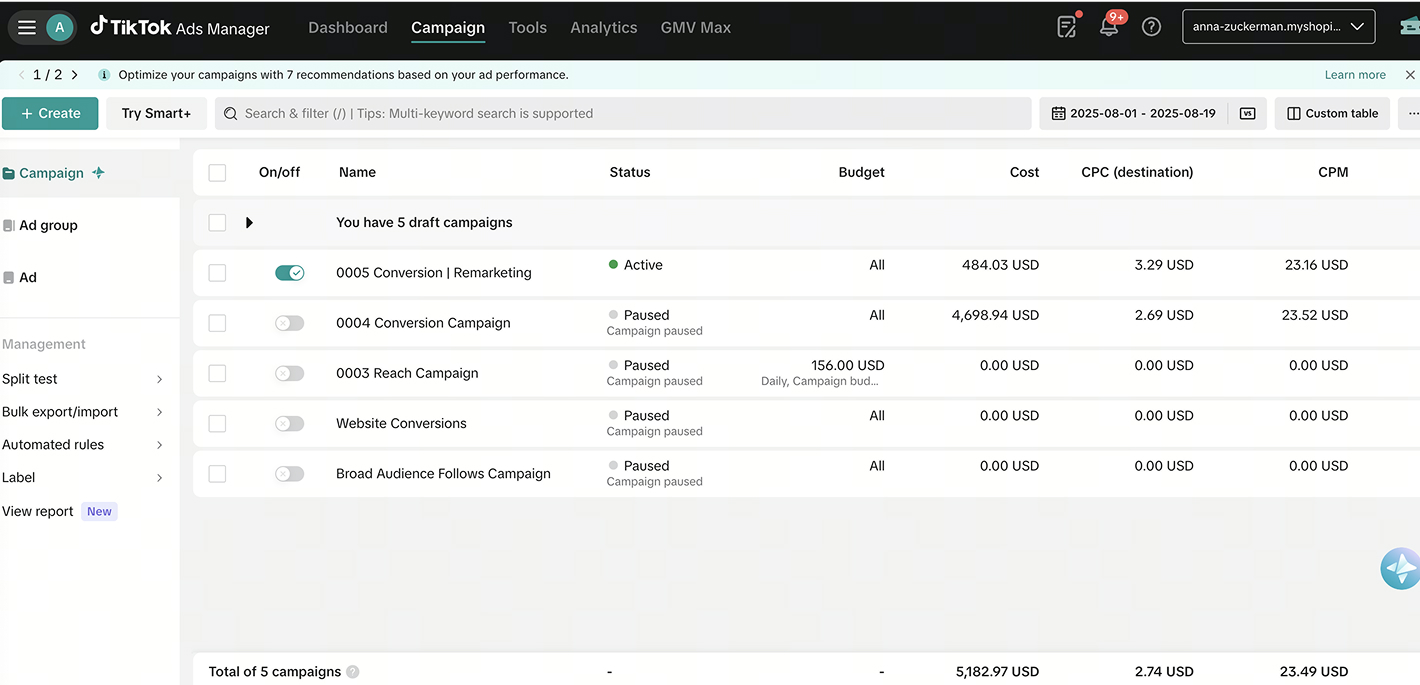
In TikTok Ads Manager, click the “+ Create” button on the left side of the dashboard to start a new campaign.
Step 2 – Choose Your Objective
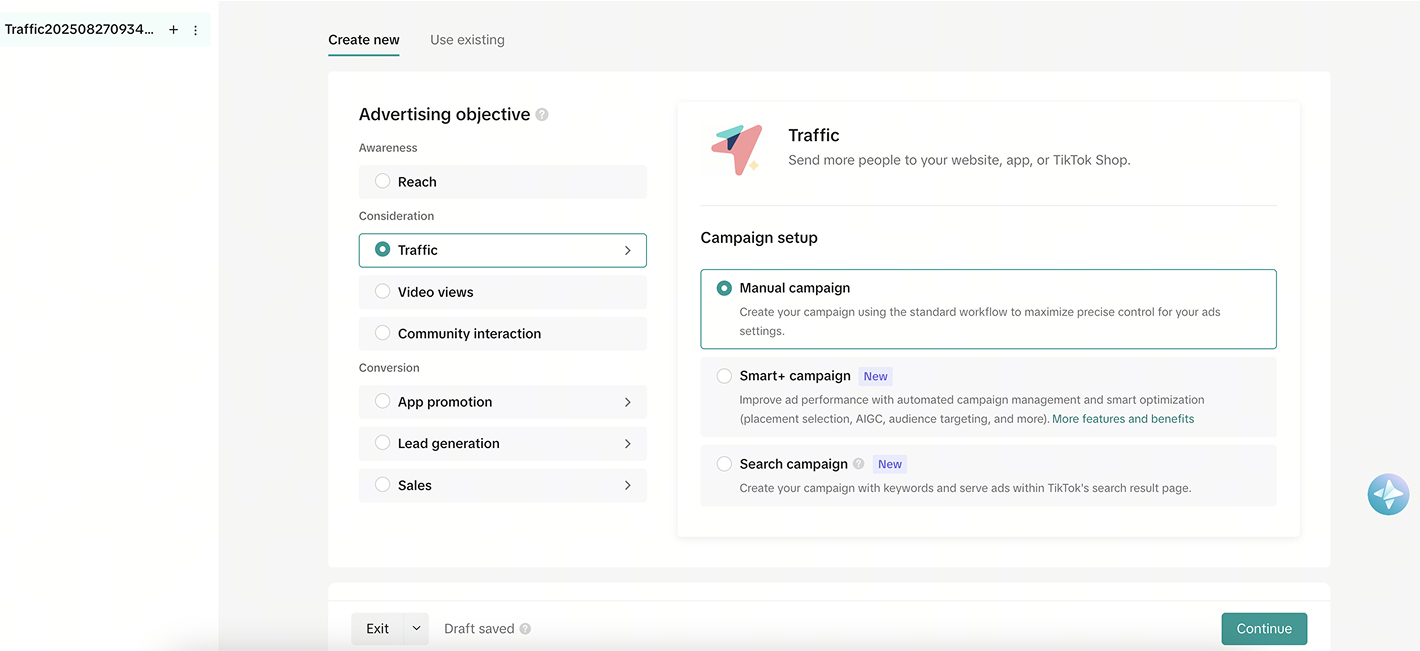
Select Traffic as your campaign objective. This tells TikTok’s algorithm to optimize for link clicks and website visits.
Step 3 – Set Campaign Name & Budget
Name your campaign clearly using a structure such as 2025 – TikTok – Traffic – BrandName.
Under Budget, enter your desired amount – note that TikTok requires a minimum of $50/day for reach-based campaigns.
Step 4 – Optimization & Placement Settings
Keep your Optimization Location as Website and Placements set to Automatic for the algorithm to distribute your ads efficiently.
Step 5 – Ad Group Setup: Demographics & Targeting
At the Ad Group level:
- Enter your Ad Set Name (e.g., Traffic – US – 18–35 – Fashion)
- Select your Location, Age, Gender, and Language preferences
Step 6 – Detailed Targeting Options
TikTok offers multiple ways to refine your targeting:
- Interest Targeting: Home décor, fitness, luxury lifestyle, fashion, travel, etc.
- Behavior Targeting: Users who recently watched or interacted with specific content categories (past 7–15 days).
- Custom Audiences: Website visitors (via TikTok Pixel), customer lists, or app activity.
- Hashtag Targeting: People engaging with relevant hashtags.
- Lookalike Audiences: Based on customer data or video engagers.
- Broad/Smart Targeting: Let TikTok’s algorithm learn and optimize reach.
Step 7 – Audience Refinement & Device Targeting
Include or exclude audiences as needed. Select interests and behaviors that best align with your offer.
You can also target by Device Type, Model, OS Version, Carrier, or Internet Provider if your campaign requires it.
Pro Tip: Leave household income open to let the algorithm learn more efficiently.
Step 8 – Budget & Schedule
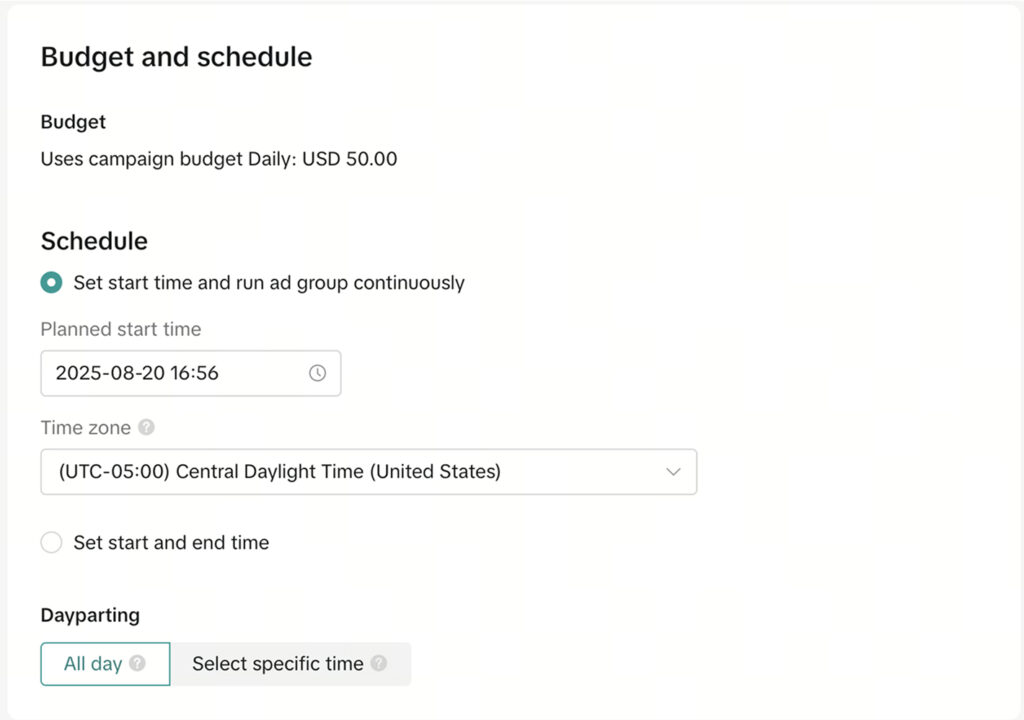
Set your daily or lifetime budget and schedule the campaign’s start date. If testing creatives, run campaigns continuously for 7–10 days to allow TikTok’s algorithm to stabilize.
Step 9 – Bidding Strategy
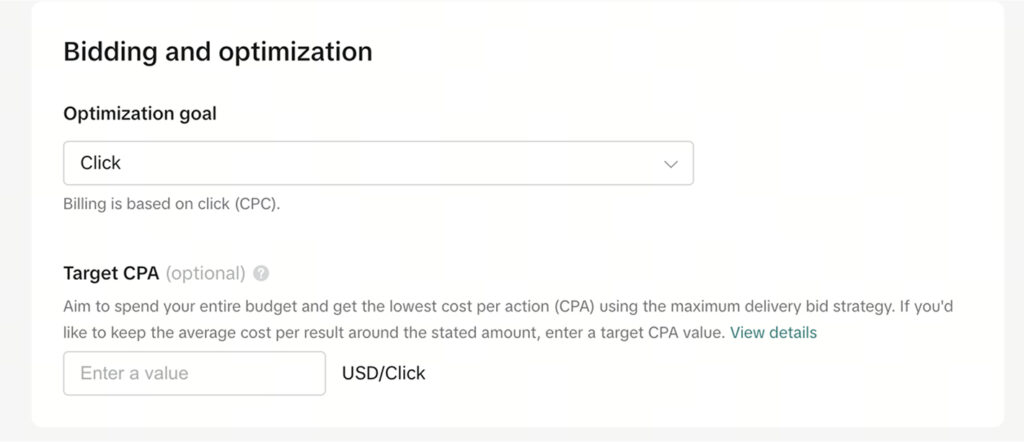
For new campaigns, avoid setting a tCPA (Target Cost Per Action) initially.
Let the algorithm learn first — once stable, you can optimize for cost efficiency.
Step 10 – Ad Creation
At the Ad level, enter your Ad Name, upload your videos or images, and select your Call-to-Action (CTA) (e.g., Learn More, Shop Now).
Use authentic, vertical videos and add captions to boost performance.
Step 11 – Add Destination URL
Enter your landing page or product URL under Destination.
Make sure the link matches the content shown in your ad.
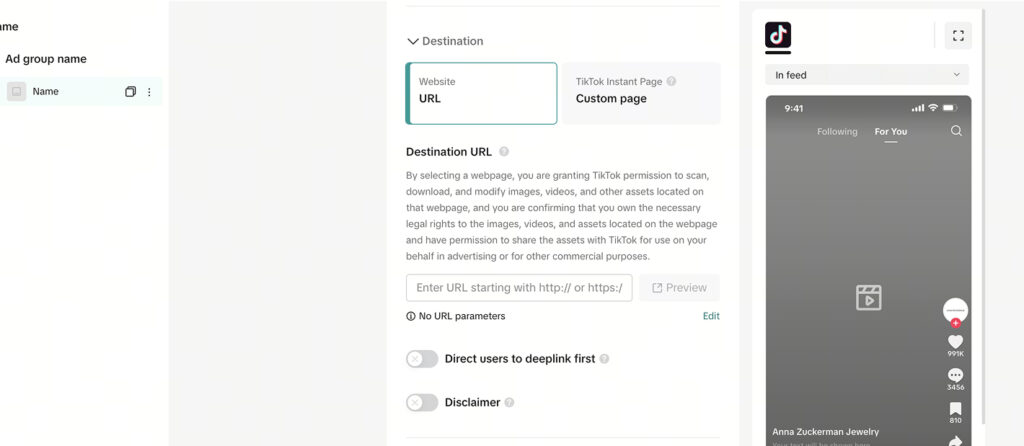
Step 12 – Add Tracking Parameters
Add UTM tracking parameters for better analytics visibility.
Example setup:
- utm_source: tiktok
- utm_medium: paid_social
- utm_campaign: traffic_campaign_2025
- utm_content: ad_01
Step 13 – Publish Your Campaign
Once everything looks good — targeting, creatives, tracking — click Publish.
Monitor your campaign’s CTR, CPC, and Landing Page Views to gauge performance and make data-driven adjustments.
FAQ
What is a TikTok Traffic Campaign?
A campaign optimized for driving users to a landing page or website rather than focusing on conversions or views.
What is the minimum budget for a TikTok campaign?
TikTok requires a $50/day minimum for Traffic or Reach campaigns.
How long should I let my campaign run before optimizing?
Allow at least 7 days of learning before making significant changes to targeting or budget.
What creative format performs best?
Short vertical videos (9–15 seconds) with clear hooks, captions, and engaging visuals perform best.
Can I retarget users from my Traffic campaigns?
Yes, using the TikTok Pixel, you can create custom audiences from visitors who clicked your ads.
Launch Your Traffic Campaign
You’ve now set up a full TikTok Traffic Campaign — from selecting objectives and setting budgets to uploading creatives and adding UTMs. With this foundation, you can start testing, analyzing results, and scaling your ad strategy.
At NANO, we’ve helped brands grow through data-driven paid media strategies that combine creativity with performance. If you’re ready to turn attention into traffic and clicks into customers, book a free strategy call with our team today — and let’s build campaigns that convert.